Choosing among UiPath alternatives is no longer just an enterprise RPA checklist—it is a decision about cost, speed, platform fit, and how much AI support your team actually needs. UiPath is still a powerful enterprise platform, but agile teams often run into pricing complexity, long deployment cycles, and Mac support gaps. This guide compares Automa, Power Automate, Automation Anywhere, Robocorp, and Zapier across use case, setup effort, AI capabilities, Mac support, and total cost of ownership, so you can choose the right automation platform without overbuying infrastructure.
Modern platforms like Automa are challenging the status quo by proving that enterprise-grade power doesn't have to come with a steep learning curve or a Windows-only mindset. If you are looking for a UiPath alternative in 2026 that balances AI intelligence with pragmatic usability, you’ve come to the right place.
Why Do You Need A UiPath alternative?
While UiPath has spent a decade building a robust automation empire, the market shift in 2026 toward Agentic Process Automation (APA) has highlighted significant structural flaws in their legacy platform. For many organizations, the "UiPath experience" has become a bottleneck rather than a catalyst.
Here are the 10 critical reasons why modern teams are actively migrating to more agile alternatives:
Opaque Pricing and the "Bill Shock"
UiPath’s move to the Platform Units (PU) model has created a transparency crisis. Instead of straightforward seat-based pricing, costs are tied to abstract units that fluctuate based on AI usage, runtime, and complexity. For a mid-market CFO, this makes annual budgeting a guessing game, leading to frequent "bill shocks" as automations scale.
The High "Entry Tax" for Small Projects
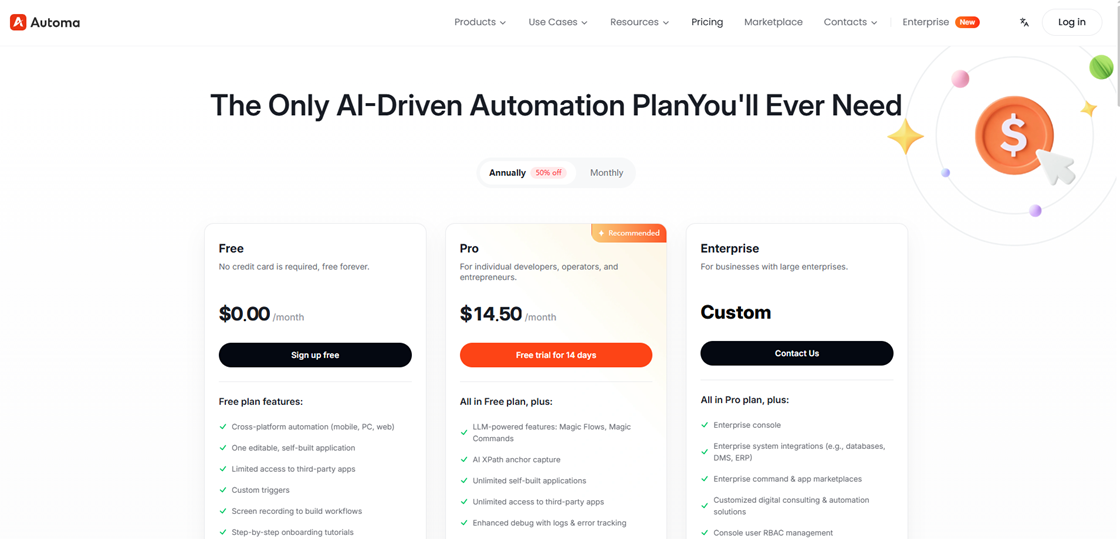
UiPath is not built for "starting small." Their licensing structure often requires a massive upfront investment in platform components before you can even deploy your first bot. For a team that just needs to automate a few high-value workflows—like price scraping or AP/AR syncing—paying the "UiPath Tax" simply doesn’t make financial sense compared to a $14.50/mo Pro plan from a platform like Automa.
The "Mac Wall" and Hardware Friction
In the US, 44% of software developers and over 87% of professional engineers now rely on macOS for its stability (Source: Eltima/Statista)., UiPath’s Windows-centric DNA is a major dealbreaker. Forcing Mac users to run heavy Windows Virtual Machines (VMs) or settle for limited web versions is an archaic workaround that drains both system resources and team productivity.

Excessive Infrastructure Bloat
Deploying UiPath at scale often requires a "heavy lifting" IT operation. Between setting up the Orchestrator, SQL databases, and complex permission layers, the infrastructure overhead can outweigh the benefits for agile teams. Modern alternatives are cloud-native and lightweight, eliminating the need for dedicated server maintenance.
Fragile Selectors and the "Maintenance Trap"
Legacy RPA relies on "Selectors"—static paths to UI elements. When a website like Amazon or LinkedIn updates its code, these bots break instantly. Companies find themselves spending more on RPA Maintenance Engineers than they saved through automation. 2026 standards demand AI-native self-healing (like AI XPath) that understands the intent of a button, not just its location.
The 4-Week vs. 4-Day Deployment Gap
UiPath is designed for the "Center of Excellence" (CoE) model, which is notoriously slow. A typical project cycle—from environment setup to governance approval—can take a month or more. For an agile team needing to react to market shifts today, a 4-week deployment cycle is a competitive failure.
Over-reliance on Specialized (and Expensive) Talent
Operating UiPath requires highly certified developers who command six-figure salaries. The average salary for an RPA Developer in the US has reached $130,000 - $145,000 in 2025 (Source: Built In / Payscale). This creates an "IT Bottleneck" where business users cannot fix or modify their own bots. The industry is moving toward "Citizen Development," where an operations manager can build a bot in an afternoon without writing a single line of code.
High System Resource Consumption
UiPath Studio is notorious for being a "resource hog." It can slow down even high-end workstations during the development phase. As software moves toward the "lean and fast" philosophy of 2026, teams are abandoning heavy IDEs in favor of sleek, browser-integrated or native lightweight clients.
"Bolted-on" AI Integration
While UiPath is racing to add AI, much of it feels like an afterthought—integrated through separate modules like AI Center. This fragmented user experience makes building AI-driven flows more complicated than it needs to be. Native AI platforms are built from the ground up with LLMs, making Magic Commands and Natural Language Workflows a seamless part of the core engine.
The Vendor Lock-in Risk
Once you are deep into the UiPath ecosystem, their proprietary logic makes it nearly impossible to migrate. This lack of portability gives the vendor massive leverage over your pricing in the future. Modern teams prefer open, flexible tools that don't hold their business logic hostage.
2026 5 Best UiPath Alternatives
2026 RPA Landscape: Quick Comparison Table
Feature | Automa (Top Pick) | Power Automate | Automation Anywhere | Robocorp | Zapier |
Best For | Agile & Mac Teams | M365 Ecosystem | Global Fortune 500 | Python Developers | SaaS & Marketing |
Core Tech | Agentic AI (Native) | Legacy + Copilot | Cloud-Native RPA | Python / Code-First | AI Orchestration |
Mac Support | Native (M1/M2/M3) | Web-only / Limited | Browser-based | Excellent | Universal (Cloud) |
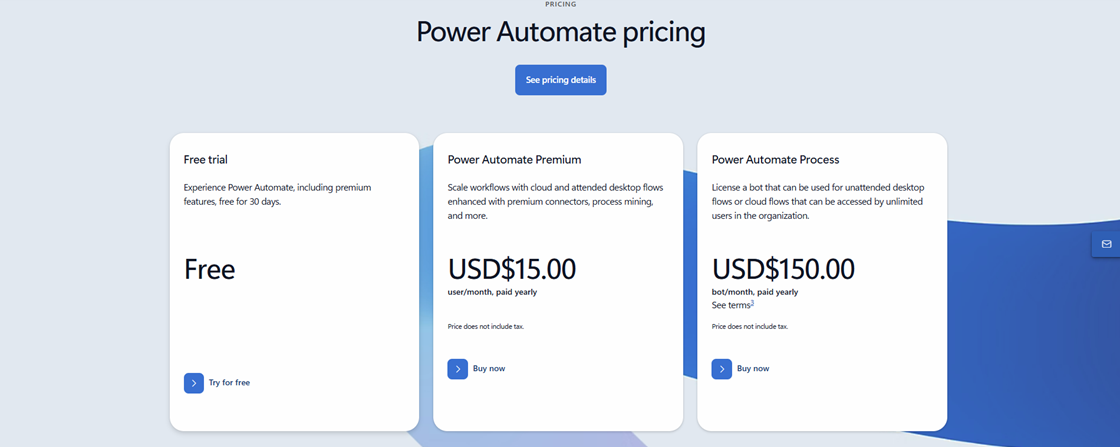
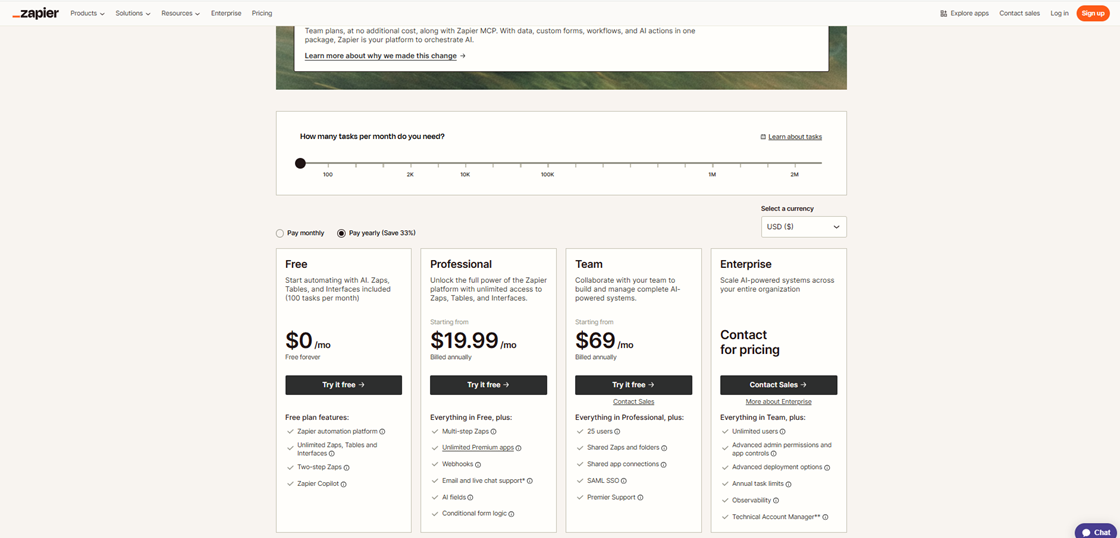
Starting Price | $14.50/mo (Pro) | $15/user/month | ~$750/mo (Starter) | Consumption-based | $19.99/mo (Pro) |
Deploy Speed | 1-4 Days | 1-2 Weeks | 4+ Weeks | 1-2 Weeks | Minutes / Days |
Automa: The Agile Disruptor for Modern Teams
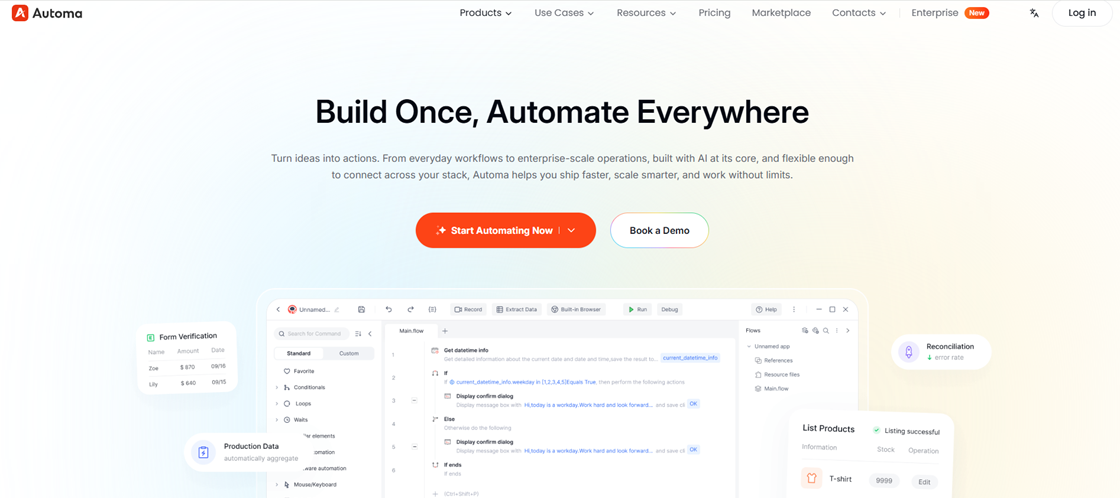
Having spent years navigating the bloated architectures and skyrocketing maintenance costs of UiPath, switching to Automa felt like trading a heavy tank for a sleek sports car. It’s often called the "CapCut of RPA"—exceptionally intuitive yet surprisingly deep. What truly sold me was its "democratized" philosophy. Whether it’s the native Mac support (a massive win for US startups) or the fact that a non-technical operations manager can build a functional bot in half a day, it finally solves the "last mile" problem of automation. It’s not just a tool. It’s a way to shed technical debt and regain business agility.
Pros
Native macOS Support: A total game-changer for the US market. It runs natively on Apple Silicon (M1/M2/M3), eliminating the need for slow, expensive Windows VMs.
Superior Web Detection: Its underlying engine is incredibly resilient with dynamic sites (Amazon, Shopify, LinkedIn), making it far more stable than UiPath’s selectors against UI changes.
Zero-Friction Deployment: Extremely lightweight. You don’t need to configure a massive backend like UiPath’s Orchestrator. You just install it and start automating.
Deep web scraping scenarios: Whether it's scraping Amazon reviews, Google search results, or Instagram Explore pages, Automa can handle it with ease.
Cons
Growing Global Ecosystem: While expanding rapidly, its library of third-party plugins and pre-built templates is currently smaller than UiPath’s decade-old community.
Simplified Governance: Its auditing and permission systems are sleek but may feel "too light" for giant banks requiring multi-layered bureaucratic controls.
Legacy Desktop Support: For 20-year-old "black box" legacy Windows applications, UiPath still holds a deeper library of obscure drivers.
Why it’s better than UiPath: Deployment Speed vs. Headcount. While UiPath requires high-salaried RPA specialists and weeks of setup, Automa AI automation lets your existing team go live in days. It eliminates the "IT Bottleneck."
Best For: E-commerce operators, marketing agencies, Mac-heavy tech teams, and mid-market companies seeking high ROI.
Pricing: $14.50/mo for Pro (Annually 50% off), providing a transparent, predictable cost structure compared to UiPath's unit-based billing. Enterprise tiers are significantly more affordable, typically 1/3 to 1/2 the TCO of a comparable UiPath setup.
Microsoft Power Automate: The Ecosystem Powerhouse
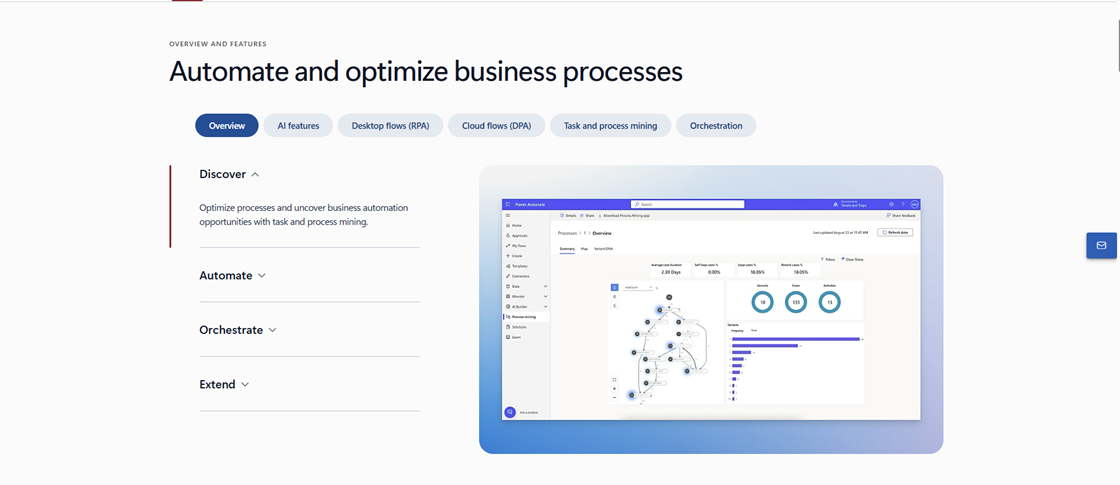
If 90% of your workflow lives within Excel, Teams, and Outlook, stop looking—it’s already on your desktop. The magic of Power Automate is "invisible integration." Even with Microsoft’s 2025 price adjustments, it remains the default value choice for M365-heavy organizations. It’s the "universal glue" of the modern office. While it can struggle with non-Microsoft legacy systems, its dominance in API-based automation (DPA) is unmatched for sheer convenience.
Pros
Seamless Ecosystem: Deeply embedded in the Microsoft stack. Copilot can now use natural language to help you debug and optimize flow logic.
Robust Cloud Flows: API-based automation is rock-solid, with a failure rate significantly lower than UI-based recording.
Low Barrier to Entry: Pre-installed on Windows 11/12. You can automate email attachments or SharePoint files with zero extra plugin configuration.
Cons
Fragile Desktop RPA: Its "Desktop" recorder is notoriously brittle when handling complex non-Microsoft web apps or legacy ERPs.
Hidden Scaling Costs: While the base version feels "free," costs for unattended bots or Premium connectors can spiral quickly as you scale.
Expression Learning Curve: Despite being "low-code," writing complex logic expressions in Power Automate is often less intuitive than Automa’s visual logic.
Why it’s better than UiPath: Zero Installation Friction. You don’t need to install a massive suite of tools to start. If you have an M365 license, you’re already 80% there for basic task automation.
Best For: Traditional enterprises with simple logic requirements and a heavy reliance on the Microsoft "Full Stack."
Pricing: Premium plans start around $15/user/month. Unattended "Process" licenses are roughly $150/bot/month.
Automation Anywhere (AA): The Cloud-First Giant
AA is UiPath’s primary rival for a reason. Its A360 platform finally realized the dream of "developing RPA entirely in a browser," which is a godsend for IT managers who hate maintaining 40GB local clients. While it remains an "expert-only" tool in 2025, its cloud-native DNA allows it to handle massive concurrent tasks more gracefully than UiPath. It’s built for architects who want to build an automation empire in the cloud, not for the occasional user.
Pros
Pure Web Development: No heavy local installs. Maintain and deploy bots from any Chrome browser, anywhere in the world.
Enterprise Governance: World-class security and auditing features, with a highly mature IQ Bot for processing unstructured data.
Agentic Framework: The 2026 AARI (Automation Anywhere Robotic Interface) is a leader in human-bot collaboration and complex decision-making.
Cons
High Entry Price: Licensing and implementation costs are on par with UiPath, making it inaccessible for most SMBs.
Heavy Implementation: Despite being in the cloud, mapping processes and building bots still requires dedicated, high-cost RPA consultants.
Communication Latency: Pure cloud management can occasionally experience lag when communicating with local agents in restricted network environments.
Why it’s better than UiPath: Lower Maintenance Overhead. The cloud-native architecture means you don’t have the constant "runtime update" nightmares that plague UiPath local environments.
Best For: Fortune 500 companies with massive budgets and a "Cloud-First" mandate.
Pricing: Enterprise-only pricing. Cloud Starter Packs typically start around $750/month.
Robocorp: Open-Source Logic for Developers
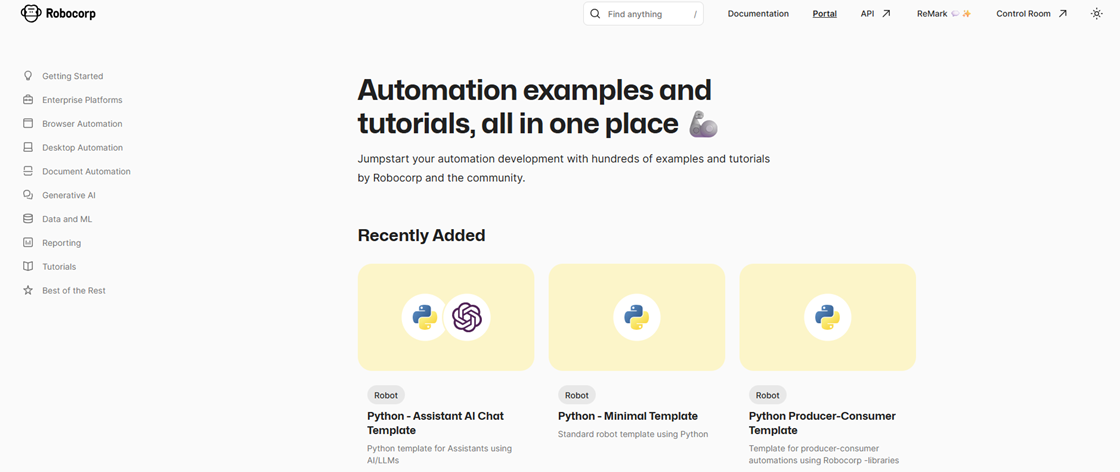
Forget drag-and-drop. I just want to write Python. Robocorp has stripped away the "low-code" facade, betting that code is the only logic that never lies. In 2026, with LLMs able to generate high-quality Python scripts on the fly, Robocorp’s potential has exploded. It’s for tech-heavy teams who view automation as part of software engineering rather than just a desktop macro recorder.
Pros
Code-First Integrity: Based on Python. This means perfect Git version control, easy code audits, and seamless collaboration for dev teams.
Extreme Performance: Lightning-fast execution with zero GUI overhead. It’s the king of high-concurrency web scraping and data processing.
Consumption-Based Pricing: It finally breaks the "fixed bot license" trap. You only pay for the actual minutes your code is running.
Cons
No Visual Canvas: Business users will be completely lost. There is zero "no-code" environment here.
Desktop Limitations: While powerful for Web, it can be more cumbersome than Shadowbot or UiPath when handling complex Windows desktop legacy UI.
Maintenance Risk: If your Python dev leaves, your business is left with a "black box" that is difficult for non-coders to fix.
Why it’s better than UiPath: Scalability and Cost Control. It is the only tool that allows you to scale to 1,000 bots without a proportional increase in fixed licensing costs.
Best For: Tech companies and startups with strong Python engineering talent.
Pricing: Consumption-based (Usage-only). Typically ranges from $0.05 to $0.10 per run-minute.
Zapier: The "Glue" of the SaaS Era
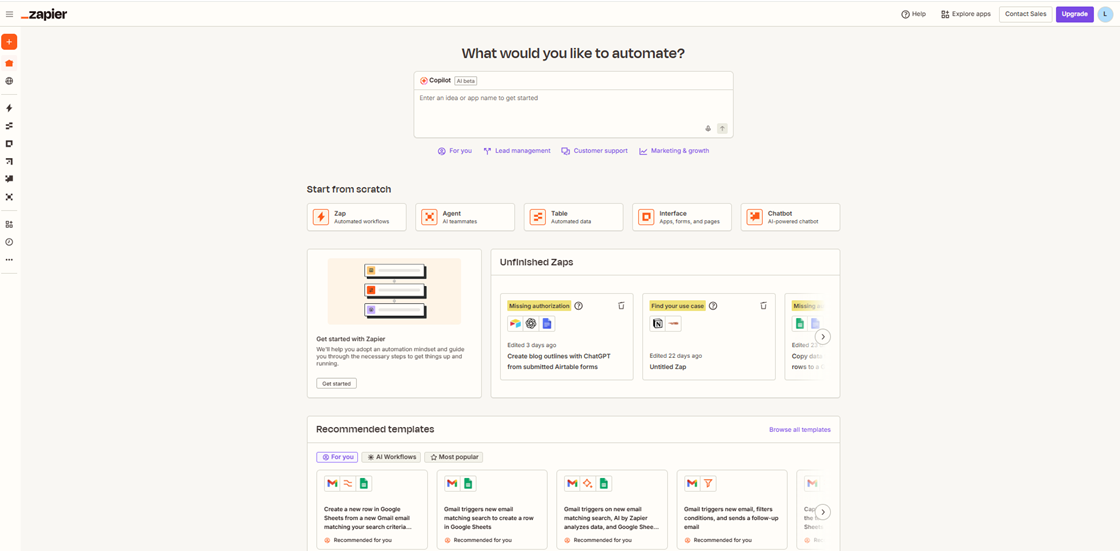
If your apps have APIs, don’t bother with RPA. Zapier is the master of "making complex things simple," connecting over 6,000 SaaS tools. While it can’t "click a button" on your desktop, its stability for cloud data movement is a 10/10. In 2026, its AI-powered self-healing workflows make it the perfect starting point for any startup’s automation journey.
Pros
Rock-Solid Stability: Because it uses APIs, it won't break just because a website changed its layout or moved a button. Set it and forget it.
Infinite Connectivity: It has the world’s largest integration library. Setting up a "Salesforce to Slack" notification takes exactly 5 minutes.
AI Copilot: In 2026, you can literally describe your logic in plain English, and Zapier will build the multi-step flow for you.
Cons
Cloud-Only: It cannot touch local files, legacy on-prem software, or anything without a public API.
Task-Based Costs: If your volume hits 50,000+ tasks a month, the pricing tiers can become more expensive than traditional RPA.
Logic Limits: Managing extremely complex loops or 50+ conditional branches becomes a visual nightmare in their interface.
Why it’s better than UiPath: Zero Maintenance. For pure SaaS environments, it is far more reliable and requires zero server deployment compared to any UI-based RPA.
Best For: Cloud-native startups and marketing teams automating SaaS-to-SaaS data flows.
Pricing: Tiered based on "Tasks." Zapier Pro starts at $19.99/month.
Automa vs. UiPath: Choosing Between Enterprise Complexity and Agile Power
When you weigh Automa against UiPath in 2026, you aren't just comparing feature lists. You are choosing an automation philosophy. UiPath is built for the "Fortune 500 Legacy"—massive organizations with dedicated IT armies. Automa is built for the "Agile Enterprise"—teams that need to automate today to win tomorrow.
The "Hidden Cost" of Talent (Accessibility)
A tool is only as valuable as your ability to use it.
UiPath's Burden: Operating UiPath at scale requires highly specialized (and expensive) RPA Developers certified in the UiPath Academy. In the US market, hiring a senior UiPath engineer can cost upwards of $130k/year.
Automa's Pragmatism: Shadowbot is designed for the "Citizen Developer." Its low-code visual canvas is so intuitive that an operations manager or a marketing lead can build a functional bot in a single afternoon.
The ROI Factor: You don't just save on license fees. You save on the massive overhead of specialized headcount.
Implementation Speed: 4 Weeks vs. 4 Days
In 2026, business moves too fast for "Center of Excellence" (CoE) bottlenecks.
The UiPath Reality: Because of its heavy infrastructure (Orchestrator, Studio, Robot tiers), a typical UiPath project involves lengthy environment setups and governance approvals.
The Automa Edge: Automa focuses on immediate deployment. With its native execution and simplified cloud management, teams can move from "Problem" to "Automated Solution" in days. For an E-commerce brand scaling for Black Friday, that 3-week difference in deployment is the difference between profit and lost opportunity.
Decoding the 2026 Pricing Trap (TCO)
Opaque pricing is a red flag for modern CFOs.
UiPath's "Platform Units" (PU): In 2026, UiPath has pushed deeper into its PU model. While it sounds flexible, it often leads to "bill shock"—where scaling your automation suddenly triggers exponential cost increases.
Automa's Transparency: Automa offers a straightforward, transparent subscription model. There are no hidden tiers or "metered" surprises. You know exactly what your TCO (Total Cost of Ownership) will be as you scale from 1 to 100 bots.
Agentic AI: The Next Frontier
Static RPA is brittle. Agentic RPA is resilient. While UiPath is retrofitting AI into its legacy engine, Automa was rebuilt in the LLM era. When a website layout changes, traditional UiPath selectors often break, requiring manual fix. Automa’s AI-native vision and semantic understanding allow the bot to "understand" the page like a human would, making your automations 5x more stable in dynamic environments.
Why Mac Users Need a Real UiPath Alternative?
If your office runs on MacBooks—like 70% of tech startups and creative agencies in the US—you’ve likely hit the "UiPath Wall." Historically, RPA has been a Windows-centric world. UiPath users on macOS are often forced into clunky workarounds: running virtual machines, using limited web-based studios, or maintaining dedicated Windows "box" just to run a simple script.
In 2026, that is no longer acceptable. A true UiPath alternative for Mac must offer:
Native Performance: Optimization for Apple Silicon (M1/M2/M3 chips) to ensure your automation doesn't drain your system resources.
Zero-Footprint Execution: The ability to automate native macOS apps, Safari, and complex web workflows without needing a Windows environment.
User Experience (UX): A design language that feels at home on a Mac—clean, intuitive, and responsive.
Enter Automa: The Mac-Native Pioneer Shadowbot has disrupted the market by offering a native macOS RPA experience that doesn't compromise on power. While UiPath Studio remains tethered to Windows roots, Automa allows your team to build, test, and deploy sophisticated AI-driven workflows directly on macOS. For US teams where the Mac is the primary workstation, this isn't just a feature—it’s a game-changer for adoption.
How to Choose the UiPath alternatives?
Evaluate "AI-Native" vs. "AI-Bolted-On" Architecture
In 2026, many legacy vendors have simply "bolted on" a chatbot to their old codebase. A true alternative should be AI-native, meaning the AI isn't just an assistant—it drives the core engine.
Look for: "Self-healing" capabilities. Can the bot navigate a UI change using computer vision and LLMs without manual re-coding?
The Litmus Test: Ask the vendor if the tool uses AI XPath or semantic understanding to find elements. If it still relies on static selectors that break when a website updates, it is not a 2026-ready solution.
Prioritize Native Cross-Platform Performance (The "Mac Test")
Many teams settle for web-based "studios" that lack the power to automate local desktop applications. If your team operates on a mix of macOS and Windows, do not accept workarounds like Virtual Machines (VMs).
Look for: Native support for Apple Silicon (M1/M2/M3). This ensures high-performance execution, lower battery drain, and the ability to automate native Mac apps (like Numbers, Keynote, or Safari) as easily as Windows ones.
The Litmus Test: Can the software automate a local desktop application and a browser workflow simultaneously on a MacBook without launching a Windows environment?
Analyze the Total Cost of Ownership (TCO) Transparency
UiPath’s "Platform Units" can make scaling unpredictable. A modern alternative should offer a "What You See Is What You Get" pricing model.
Look for: Simple, seat-based or flat-rate subscriptions. For example, Automa’s Pro Plan at $14.50/mo provides a clear ceiling for your expenses.
The Litmus Test: Calculate your costs for 1, 10, and 50 bots. If the pricing model requires a spreadsheet or a sales consultant to explain "consumption credits," it is likely designed for vendor lock-in rather than customer scaling.
Assess "Time-to-Value" for Citizen Developers
The era of waiting months for a "Center of Excellence" (CoE) to approve a bot is over. Your alternative must empower the people closest to the problem—the marketing leads, SEO specialists, and finance managers.
Look for: Magic Commands or natural language input. The tool should allow a non-technical user to describe a process in plain English and have the AI generate the initial workflow.
The Litmus Test: Give a mid-level manager 30 minutes with the tool. If they cannot build a basic "scrape-and-save" automation in that window, the learning curve is too steep for an agile team.
Check for "Deep" Integration (APIs + UI + Mobile)
Modern automation doesn't just happen in a browser. It happens across ERPs, legacy software, and mobile devices.
Look for: A "Hybrid" approach. The platform should handle API-level integrations for stability and UI-level (RPA) for legacy systems that lack APIs.
The Litmus Test: Verify if the tool has an Enterprise Console that allows you to manage mobile, desktop, and web bots from a single dashboard, integrating directly with your existing DMS or ERP systems.
Conclusion
As we navigate through 2026, the definition of a "market leader" in automation has shifted. It is no longer about which platform has the most features, but which platform can deliver immediate value without the burden of technical debt.
The era of 6-month deployment cycles is over. Your team deserves a tool that is as fast and flexible as they are. Whether you are an E-commerce brand scaling for peak season, an SEO lead managing thousands of pages, or a startup looking for its first RPA win, the choice is clear.
Choosing Automa is more than just selecting a UiPath alternative. It’s a strategic decision to embrace the Agentic AI era. Ready to see the difference?
Start your 14-day Free Trial of Automa Pro – Experience the power of $14.50/mo AI-driven automation and join 10,000+ teams who have already made the switch.
FAQs
What Is the Best UiPath Alternative for Mac Users in 2026?
Automa is currently the top-rated choice for Mac users, offering native support for Apple Silicon without the need for Windows Virtual Machines.
Is Power Automate cheaper than UiPath?
Generally, yes. Power Automate starts around $15/user/month for basic tasks, while UiPath's total cost of ownership (TCO) is significantly higher due to platform units and infrastructure costs.
What is Agentic Process Automation (APA)?
APA is the next generation of RPA that uses LLMs and AI to understand intent and self-heal workflows, rather than following rigid, pre-programmed scripts.
Can I Migrate My Existing UiPath Bots to Automa?
Yes, migration is absolutely seamless through Logic Re-platforming. While architectures differ, this transition allows you to upgrade brittle UiPath selectors to Automa’s AI-native XPath, evolving legacy scripts into resilient Agentic AI. For complex enterprise workflows, we offer a Free Migration Assessment.Contact our technical experts today for a customized upgrade strategy.