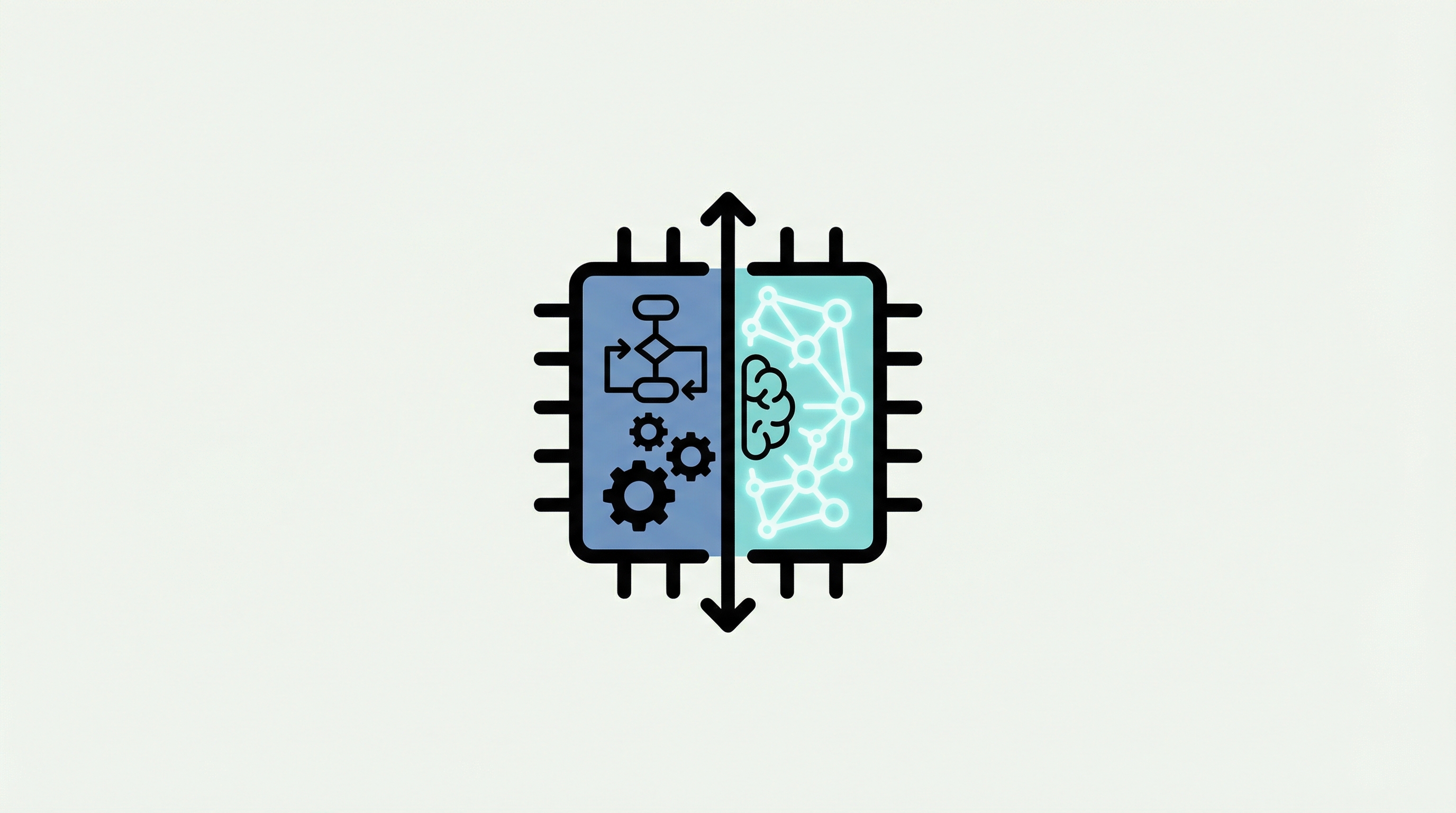
You have the budget. You have the mandate to "digitize." But now you are stuck between two line items that look suspiciously similar yet carry vastly different price tags and implementation timelines. On one side, you have Robotic Process Automation (RPA): the pragmatic, rule-following workhorse. On the other, Intelligent Automation (IA): the AI-driven brain that promises to think like a human.
For IT managers, the confusion isn't just semantic, it’s financial. Choose the wrong tool, and you either overspend on an AI solution for a simple data entry task, or you deploy a rigid RPA bot that breaks the moment a PDF layout changes.
This guide strips away the marketing fluff. We will dissect the technical boundaries, the ROI realities, and the specific use cases where these technologies diverge—and where they must converge to build a resilient digital workforce.
Understanding Robotic Process Automation Basics
To make the right decision, you must first understand the mechanics of the "hands." Robotic Process Automation is software that mimics human interaction with digital systems. Think of it as a digital worker that sits at a computer, moves the mouse, types on the keyboard, and navigates between applications just like your operations team does.
Core Features of RPA Technology
RPA operates on the presentation layer. It doesn't require complex backend API integrations or database access. If a human can do it on a screen, an RPA bot can likely do it faster and without errors.
Modern platforms, utilize a "Designer + Robot + Console" architecture. You design the workflow (often with drag-and-drop tools), the Robot executes it, and the Console manages the fleet. The defining feature here is determinism. Standard RPA does exactly what it is said. It follows a script: "Open Excel, copy cell A1, paste into SAP field B2." It does not improvise.
Best Use Cases for Rule-Based Tasks
RPA thrives where creativity is not required. It is the perfect solution for Task Automation in high-volume, low-variance environments.
Data Migration: Moving data from legacy systems to modern ERPs.
Form Filling: Taking data from a spreadsheet and entering it into a web portal.
Report Generation: Logging into three different systems to download CSVs and merging them.
In manufacturing scenarios, the RPA platforms has seen single-order processing times drop from 40 minutes to just 5 minutes by applying strict RPA logic to these repetitive tasks.
Limitations of Standard RPA Bots
The strength of RPA is also its weakness. Because it relies on specific rules and UI elements (like XPath or screen coordinates), it is fragile. If a website updates its interface or a button moves, a standard bot might fail. This creates what the industry calls "maintenance hell."
However, next-gen platforms are solving this. The new platform, for instance, uses Intelligent Repair and anchor-based positioning to detect UI changes and self-heal the workflow, preventing the bot from crashing due to minor frontend updates.
Defining Intelligent Automation and AI
If RPA is the "hands," Intelligent Automation (IA) is the "brain." IA combines RPA with Artificial Intelligence (AI) technologies to handle ambiguity. It allows automation to process data that isn't perfectly formatted.
How AI and Machine Learning Power IA
Machine Learning (ML) allows the system to learn from patterns rather than just following rules. While RPA needs you to define "If X, then Y," IA can look at historical data to predict "It looks like X, so we should probably do Y." This is critical for decision-making processes where the inputs vary.
The Role of Natural Language Processing
NLP enables the system to understand human language. A standard RPA bot sees an email as a string of text. It doesn't know if the customer is angry or asking for a refund. NLP parses that text, determines sentiment and intent, and then triggers the correct RPA workflow.
Automa’s Magic Commands 3.0 leverages this by allowing users to generate automation workflows simply by typing natural language instructions, effectively using NLP to bridge the gap between human intent and robot execution.
Why Unstructured Data Matters Here
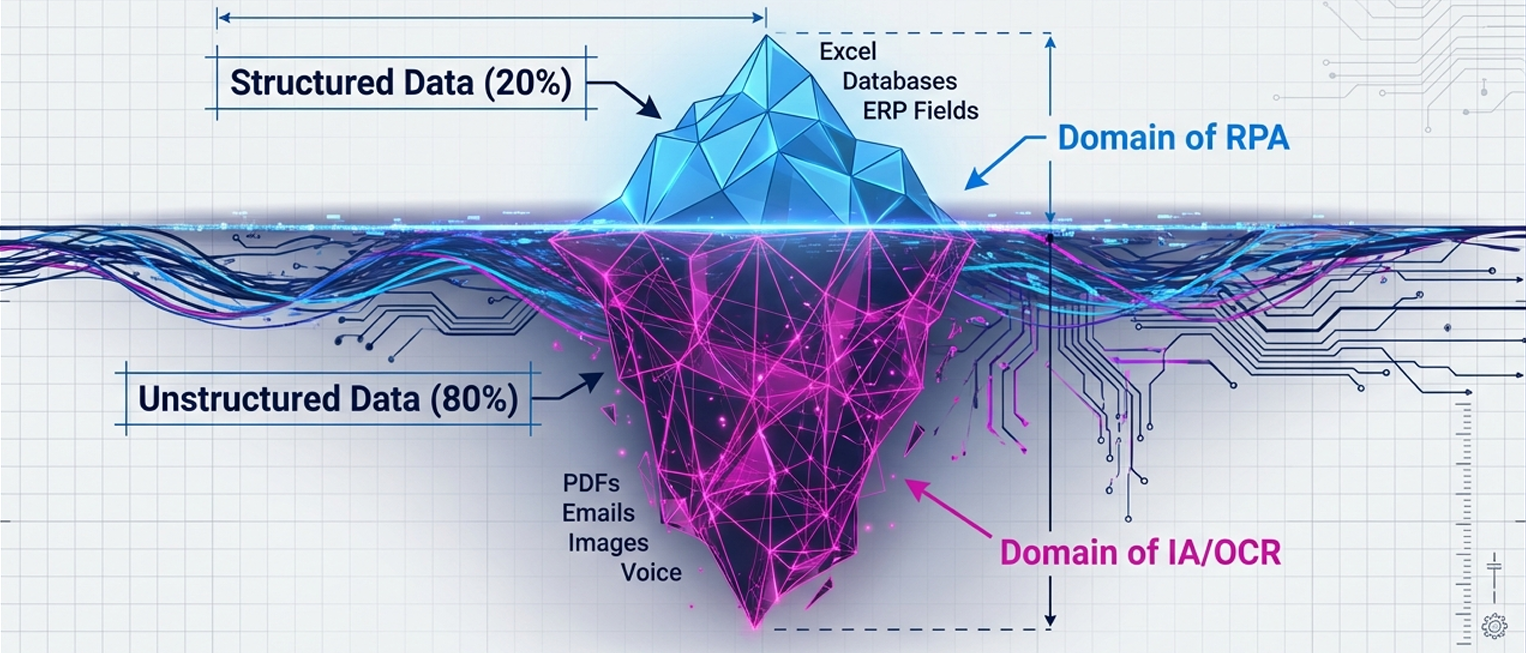
This is the biggest differentiator. Unstructured Data—images, PDFs, free-text emails, voice recordings—makes up about 80% of enterprise data. It remains a hurdle, but the ROI is shifting. McKinsey's 2025 survey shows that while 88% of organizations use AI, only 6% are 'high performers' capturing significant value through automated workflow redesign. Standard RPA chokes on this. It needs rows and columns. Intelligent Automation uses OCR (Optical Character Recognition) and computer vision to turn that unstructured chaos into structured data that the RPA bots can then process.
Key Differences Between RPA and Intelligent Automation
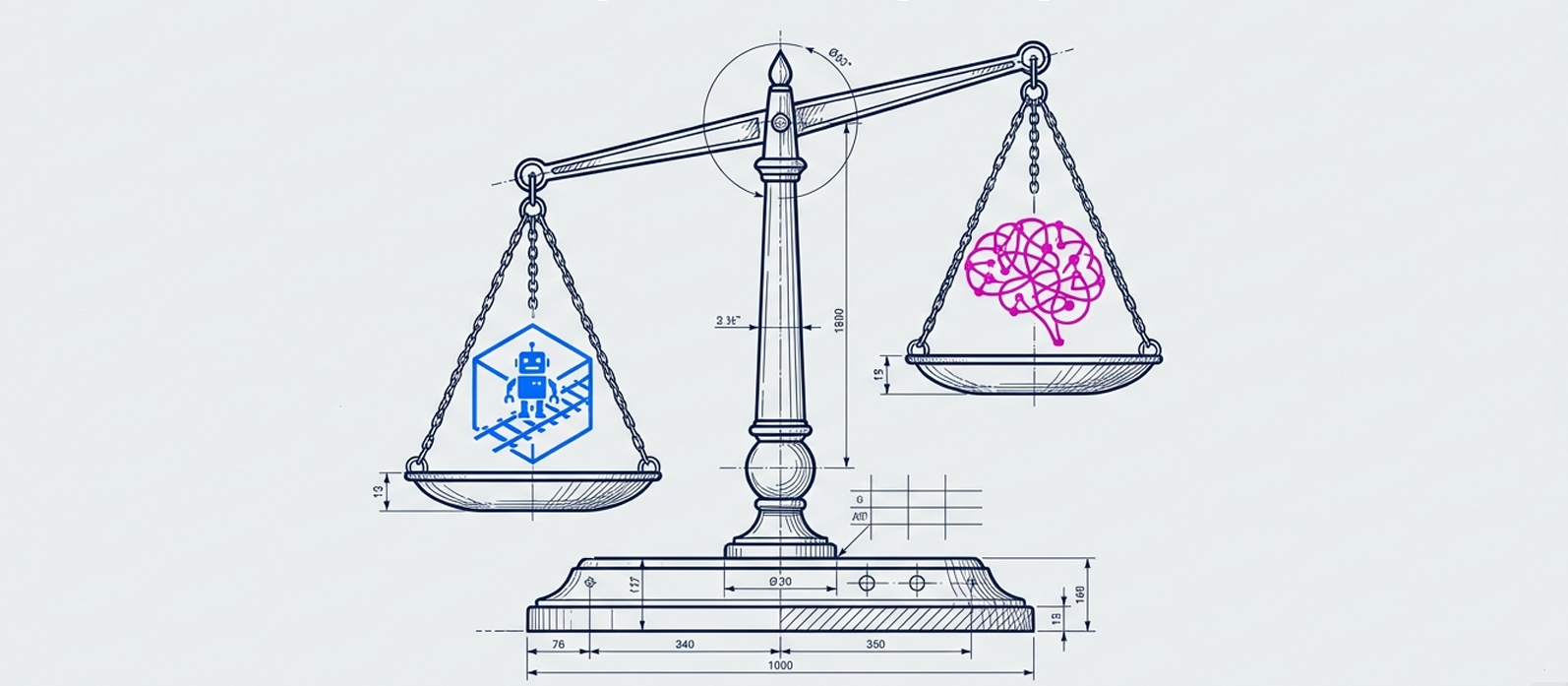
To justify your budget allocation, you need a clear comparison. Here is how they stack up in a production environment.
Feature | Robotic Process Automation (RPA) | Intelligent Automation (IA) |
Primary Function | Execution (Hands) | Cognition (Brain) |
Data Type | Structured (Excel, Database, JSON) | Unstructured (PDFs, Emails, Images) |
Decision Making | Rule-based (If/Then) | Probabilistic (Confidence Scores) |
Implementation | Fast (1-2 weeks) | Moderate (Requires training/tuning) |
Cost Model | Linear (Per bot/license) | Value-based (Higher compute costs) |
Handling Structured Versus Unstructured Data
If your process involves copying data from a standardized Excel sheet into Salesforce, you need RPA. It’s cheaper, faster, and 100% accurate. But if your process involves reading vendor invoices that come in 50 different layouts, RPA alone will fail. You need IA to "read" the invoice, extract the "Total Amount" regardless of where it sits on the page, and then pass that data to the RPA bot.
Automating Tasks Versus End-to-End Processes
RPA automates tasks (individual steps). Intelligent Automation automates processes (entire workflows). For example, RPA sends the email. IA writes the email, decides who to send it to based on context, and then triggers the RPA bot to hit "send."
Implementation Speed and Complexity
Time-to-value differs significantly. With a no-code platform, business users can typically build and deploy a standard RPA bot within 1-2 weeks. IA projects often require a "training phase" to teach the AI models, though pre-trained models are shortening this timeline.
Cost Implications and ROI Expectations
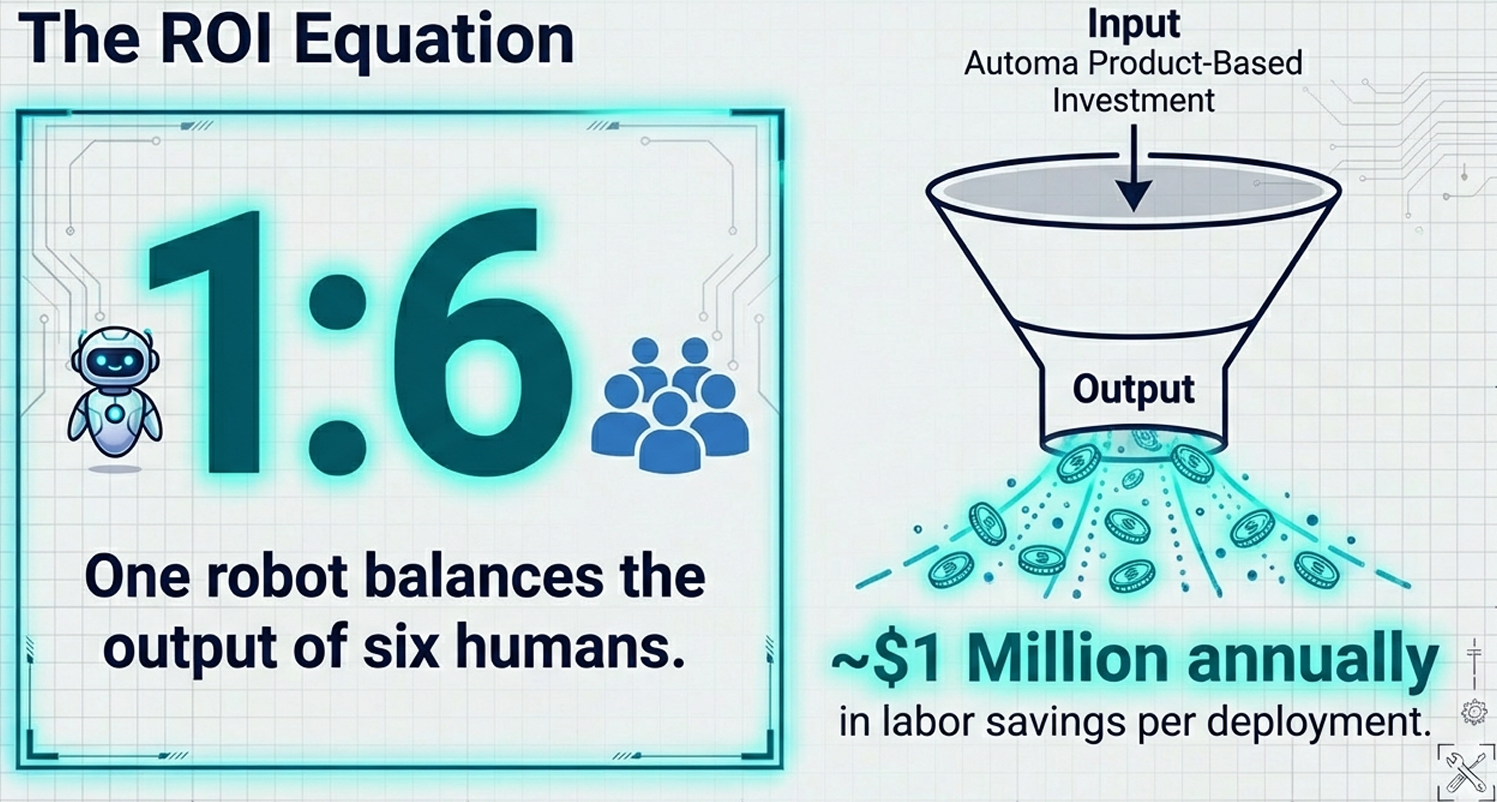
Traditional RPA implementations used to cost millions due to heavy service fees. Automa has disrupted this by shifting from a service-based model to a product-based model, reducing costs to below $100k for enterprise deployments.
The ROI is tangible. Data from Automa’s top 100 enterprise customers shows an input-output ratio of 1:6. One robot effectively does the work of six human employees, saving approximately $1 million in labor costs annually per large deployment.
RPA vs Workflow Automation and Test Automation
Before you sign the contract, ensure you aren't confusing RPA with its cousins.
Distinguishing RPA from Workflow Automation
Workflow Automation (tools like Zapier or backend BPM systems) relies on APIs. It connects System A to System B via code. It is fast and stable but limited to apps that have open APIs.
RPA operates on the User Interface (UI). It is necessary when you are dealing with Legacy Systems that don't have APIs, or when you need to interact with a third-party website (like a supplier portal) where you don't have backend access.
When to Use Test Automation Instead of RPA
Test Automation (like Selenium) is designed to find bugs. It is meant to stress-test a system until it breaks. RPA is designed to avoid breaking. It includes error handling and retry logic to ensure the business process completes successfully. Do not use Test Automation tools for business Process Automation. They lack the security, audit logs, and stability features required for production operations.
Step 1: Assess Your Business Process Needs
Don't buy technology and look for a problem. Audit your process first. Use this logic to decide.
Step 2: Analyze Data Complexity and Format
Look at the inputs. Are they digital and structured (spreadsheets, database fields)? If yes, RPA is your winner. Are they analog or messy (scanned documents, chat logs)? You need Intelligent Automation.
Step 3: Evaluate the Need for Human Judgment
Map the decision points. If a decision requires intuition ("Does this customer look risky?"), you need AI or a "Human-in-the-loop" workflow. If the decision is mathematical ("Is the loan amount > $10,000?"), RPA handles it perfectly.
Step 4: Determine Process Stability and Volume
High-volume, stable processes yield the highest ROI. If a process changes every week, the cost of updating the bot might outweigh the savings. However, Automa’s Magic Commands allow users to update workflows using natural language, significantly lowering the barrier to maintaining these automations.
Real-World Examples of RPA and IA in Action
Let’s look at the data. These aren't theoretical scenarios. They are results from the Knowledge Base of deployed automations.
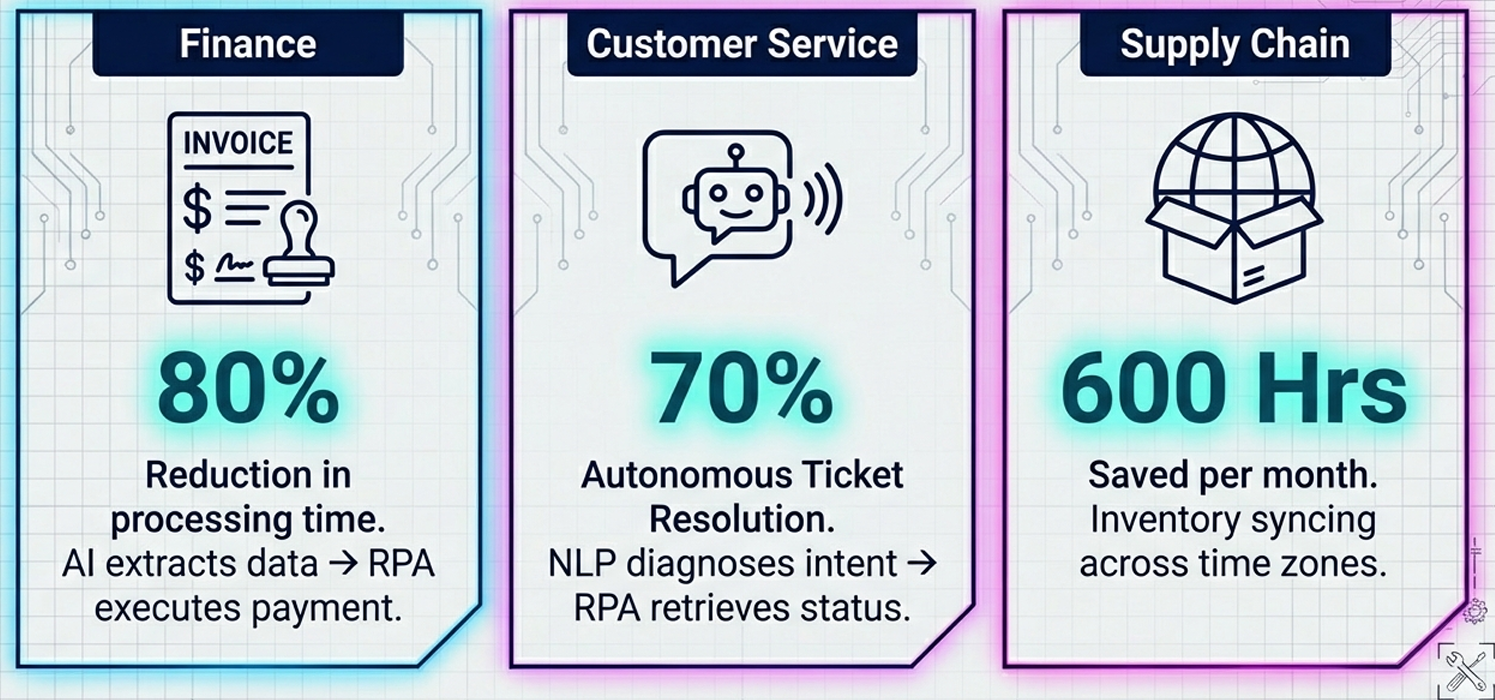
Finance: Invoice Processing Scenarios
Finance is the classic battleground. A standard RPA bot can download invoices from a portal. But adding AI transforms the process. Automa’s finance solutions have reduced invoice processing time by 80% and minimized payment cycle errors by 75%. The AI extracts data from non-standard invoices, cross-validates it with POs in the ERP, and the RPA bot executes the payment. In B2B payments, one-third of transactions will involve autonomous agents by 2026. Forrester’s TEI model shows finance automation achieving an ROI of 111% with payback in under 6 months.
Customer Service and Chatbot Evolution
Old chatbots were frustrating decision trees. Intelligent Automation powers agents that understand context. AI bots now resolve up to 70% of Tier-1 tickets autonomously without human intervention. The AI diagnoses the issue (e.g., "Where is my order?"), and the RPA bot goes into the logistics system, retrieves the tracking number, and sends it to the customer.
Supply Chain and Inventory Management
E-commerce relies on speed. Automated product listing and inventory syncing have saved clients over 600 hours per month. Robots automatically adjust prices and replenish inventory in the early morning hours, solving time zone differences for cross-border sellers—something human teams simply cannot sustain.
How to Combine RPA and IA for Hyperautomation
The future isn't RPA or AI. It is Hyperautomation—using both. The future is defined by Agentic AI and Multiagent Systems (MAS). Gartner predicts that 40% of agentic AI projects will fail by 2027 not due to tech, but because of a lack of process redesign, urging a shift toward Hyperautomation as a staple discipline.
Integrating AI Components into RPA Bots: Many tool supplier’s philosophy is "AI as the Brain, RPA as the Hands." You embed AI models directly into the RPA workflow. For example, use an NLP model to parse an incoming email (Brain), and then use an RPA bot to update the CRM based on that information (Hands).
Building a Scalable Automation Strategy: Start with the "low-hanging fruit" of rule-based RPA to prove value. Then, expand into IA. Your rpa software should support the establishment of enterprise Centers of Excellence (CoE) to manage this growth. This "flywheel" approach allows organizations to self-evolve, reducing dependency on external vendors.
Managing the Digital Workforce Effectively: Treat your bots like employees. They need IDs, access controls, and performance reviews. The automation system can provide centralized dashboards to monitor robot health, schedule tasks, and manage Scalability. You can group robots to execute tasks concurrently, ensuring that a spike in workload doesn't crash your operations.
Common Pitfalls and Risks to Avoid
Automation is not magic. It carries risks that you must mitigate.
Underestimating Maintenance Costs: Bots break. If you build a rigid script and the target application changes, your process halts.
The Fix: Choose platforms with Intelligent Repair capabilities. Also, avoid "Service-based" pricing models where every fix costs you a consulting fee. Opt for "Product-based" tools where maintenance tools are built-in.
Overlooking Security and Compliance: Giving a bot access to your ERP is a security risk if not managed.
The Fix: Ensure your vendor offers ISO 27001 certification and bank-level encryption. Choosting the software supports Private Cloud and On-Premise deployments, ensuring that sensitive data (like financial records) never leaves your internal network if compliance requires it.
Choosing the Wrong Vendor Ecosystem: Many legacy RPA vendors lock you into expensive ecosystems. They charge for the platform, then charge for the "Studio," then charge for the "Orchestrator."
The Fix: Look for integrated architectures. Automa’s "Designer + Robot + Console" three-in-one design reduces the development chain and total cost of ownership.
Conclusion: Your Roadmap to Automation
The debate between Robotic Process Automation and Intelligent Automation is not a binary choice. It is a maturity curve.
If you are drowning in spreadsheets and manual data entry, start with RPA. It is the fastest route to ROI, capable of cutting operational costs by 70%. Once your data is structured and your core workflows are stable, layer in Intelligent Automation to handle the messy, human-centric data that drives higher-value decisions.
Your Next Steps:
Audit: Identify your top 3 processes with high volume and low creativity.
Select: Choose a platform that offers both RPA stability and AI flexibility (like Automa’s AI Power).
Pilot: Launch a "Proof of Concept" (POC) in 2 weeks, not 6 months.
Don't let "analysis paralysis" stall your digital transformation. Efficiency defeats inefficiency every time.
Ready to build your digital workforce? Request a Custom Demo with Automa to see how our AI-powered RPA can transform your operations today.
Frequently Asked Questions (FAQ)
Does Automa offer built-in AI/OCR/NLP capabilities for unstructured data?
Yes. Automa integrates AI-driven OCR and NLP technologies directly into the platform. This allows you to extract and process unstructured data, such as invoices, images, and emails, without needing third-party plugins.
Can RPA handle frequently changing UI or webpage structures reliably?
Traditional RPA struggles here, but Automa includes Intelligent Repair, anchor-based positioning, and XPath management. These features allow the robot to adapt to dynamic front-end changes, significantly reducing maintenance downtime.
Can RPA handle unstructured data on its own?
No. Traditional RPA requires data to be structured and predictable. It cannot reliably interpret free text, images, or variable document layouts. To process unstructured data, organizations typically combine RPA with AI components such as OCR for text extraction and NLP for language understanding. This combination is what defines Intelligent Automation.
How long does it take to implement RPA vs Intelligent Automation?
RPA: 1–4 weeks for well-defined processes
Intelligent Automation: 4–12+ weeks, depending on data quality, AI model readiness, and process variability
How does workflow automation differ from RPA?
Workflow automation relies on APIs and backend integrations to move data between systems. It is highly stable and efficient but limited to applications with exposed APIs.
RPA operates on the user interface layer, making it suitable for legacy systems, third-party portals, or environments where APIs are unavailable.
In mature automation strategies, workflow automation and RPA often coexist.
Is RPA or Intelligent Automation better for long-term digital transformation?
Neither works in isolation. RPA is often the entry point for quick wins and operational efficiency. Intelligent Automation builds on that foundation to enable scalable, decision-driven processes.
Most organizations progress along a maturity curve:
Task Automation → Process Automation → Intelligent Automation → Hyperautomation