I used to use Power Automate for everything. It sits right there in your Microsoft 365 dashboard. It feels free. It feels easy to start. But over the past couple of years, with the rise of modern SaaS tools and AI agents, I found myself constantly hitting walls.
I tried to connect a non-Microsoft app like Salesforce or Slack, and the system asked for a "premium" license. Suddenly, my free tool became an expensive line item. Flows broke silently. I spent hours digging through messy logs just to find a single error. That is when I started my search for Power Automate alternatives. I tried over a dozen different platforms. Today, I am going to give you a list.
For each tool, I will explain what it does, who it fits best, and what I personally like (and do not like) about it. Alright, let’s look at the details.
Why People Look for Power Automate Alternatives?
When talking about why people leave Microsoft Power Automate, it is important to look at what actually happens in real businesses. Most blogs on this topic just say the tool is hard to use, but they do not really explain the exact breaking points for everyday users.
After all, I do not know all of the nuances of your daily operations. Only you know them. So first, let's go over the exact reasons why teams abandon this software. This way, you can see if your business faces the same roadblocks (and decide if you need a new tool).
Here is why people usually start looking for a Power Automate alternative:
Hidden costs and paywalls. You start with it because Microsoft includes it in your standard account. It feels free. But when you try to connect an outside app like Salesforce, the system stops you instantly. It demands an expensive premium license. You need a platform with clear pricing, so you do not get massive, unexpected bills.
Complex visual builder. You are going to be using this tool a lot to set up daily automations. Power Automate works fine for a simple two-step process. But if you add multiple branches and conditions, the screen turns into a giant, messy web. It becomes impossible to read or update. Make sure you pick a tool that keeps complex logic easy to view.
Hard-to-read error logs. It is quite rare to set up an automated workflow without first having to go through a few head-scratching moments. Flows fail. But the right tool knows this is going to happen to you. When an error occurs, a good tool tells you exactly what to do. Power Automate hides the failure inside confusing code logs, causing you to waste hours looking for one small mistake.
Strict time limits. Once you set up an automation, you sort of do not look at it anymore (assuming it does not break). You expect it to finish the job. But Power Automate simply kills any workflow that runs longer than 30 days. If your finance team has a 6-week approval cycle, the flow just dies.
Microsoft lock-in. You want to pick a tool that can handle scale across your entire software stack. Power Automate heavily favors Microsoft products. It makes connecting to modern, third-party apps difficult and clunky.
Being aware of these things will allow you to find a tool that is actually worth your time and effort. Alright, now let’s get into the top Microsoft Power Automate alternatives.
Power Automate Alternatives Comparison Tables
Software | Best For | Key Strength | Market Status | Free Plan | Starting Price |
Automa | AI Agents & Scalable Workflows | AI Thinking + RPA Execution | Leading AI Workstation | Yes | $14.50/Month |
Zapier | Simple App Connections | 8,000+ App Integrations | Industry Standard | 100 Tasks | $29.99/Month |
Make | Complex Visual Logic | Drag-and-drop Editing | Strong Competitor | 1,000 Credits | $9/Month |
n8n | Self-hosting & Privacy | Full Code Control | Top Open Source | Yes | $24/Cloud |
Workato | Pre-built Assets | High-end Leader | No | $10,000/Year | |
Tech Ops & Low-code | Flexible Logic Control | Major Enterprise Tool | No | Contact Sales | |
MuleSoft | Legacy & API Integration | Bank-grade Security | Top Integration Platform | Trial | Contact Sales |
Pipedream | Developers & Code Flows | Node.js/Python Support | Fastest Dev Growth | Yes | $29/Month |
UiPath | Mimicking Human Actions) | Excellent Recorder | RPA Leader | Community | $5,000/Year |
Automation Anywhere | Cloud AI Bots | Cloud-native Build | Major RPA Vendor | Community | Contact Sales |
IFTTT | Smart Home & Personal Tasks | Ultra-simple Logic | Consumer Standard | 2 Applets | $3.40/Month |
11 Power Automate alternatives and competitors in 2026
Now, let us look at the actual software that fixes your broken workflows. Here are my top 12 choices, formatted clearly so you know exactly what you get.
Automa
Automa is an AI-driven automation platform that merges robotic execution with smart decision-making. I use it to process unstructured data like messy PDF invoices. You can connect it directly to SAP or Salesforce, and it builds complex logic just from your plain text instructions. What I really like is how it handles cognitive OCR right out of the box. So if your operations team needs to read screens and extract data without writing code, you can build that fast. Tech teams use Automa to replace rigid Microsoft flows. Instead of paying for separate AI add-ons, you get everything in one predictable bill.
Key Features
You type plain text instructions to build complex workflow logic instantly without writing code.
Cognitive OCR reads screens and extracts unstructured data from messy PDF invoices accurately.
Built-in direct integrations connect your data to enterprise systems like SAP and Salesforce.
Cross-platform execution handles web, mobile, and desktop tasks inside one unified workspace.
Predictable modular pricing keeps your enterprise automation costs stable as your business scales.
Pros
It offers predictable costs so you save money as you scale.
Clear error logs show you the exact failures fast.
Ready-to-use templates let you start building right away.
You build complex logic using simple text instructions instead of code.
Cons
It is a newer platform compared to heavy legacy enterprise software.
You must shift your mindset to trust AI reasoning alongside standard rules.
It holds fewer community tutorials online compared to older tools.
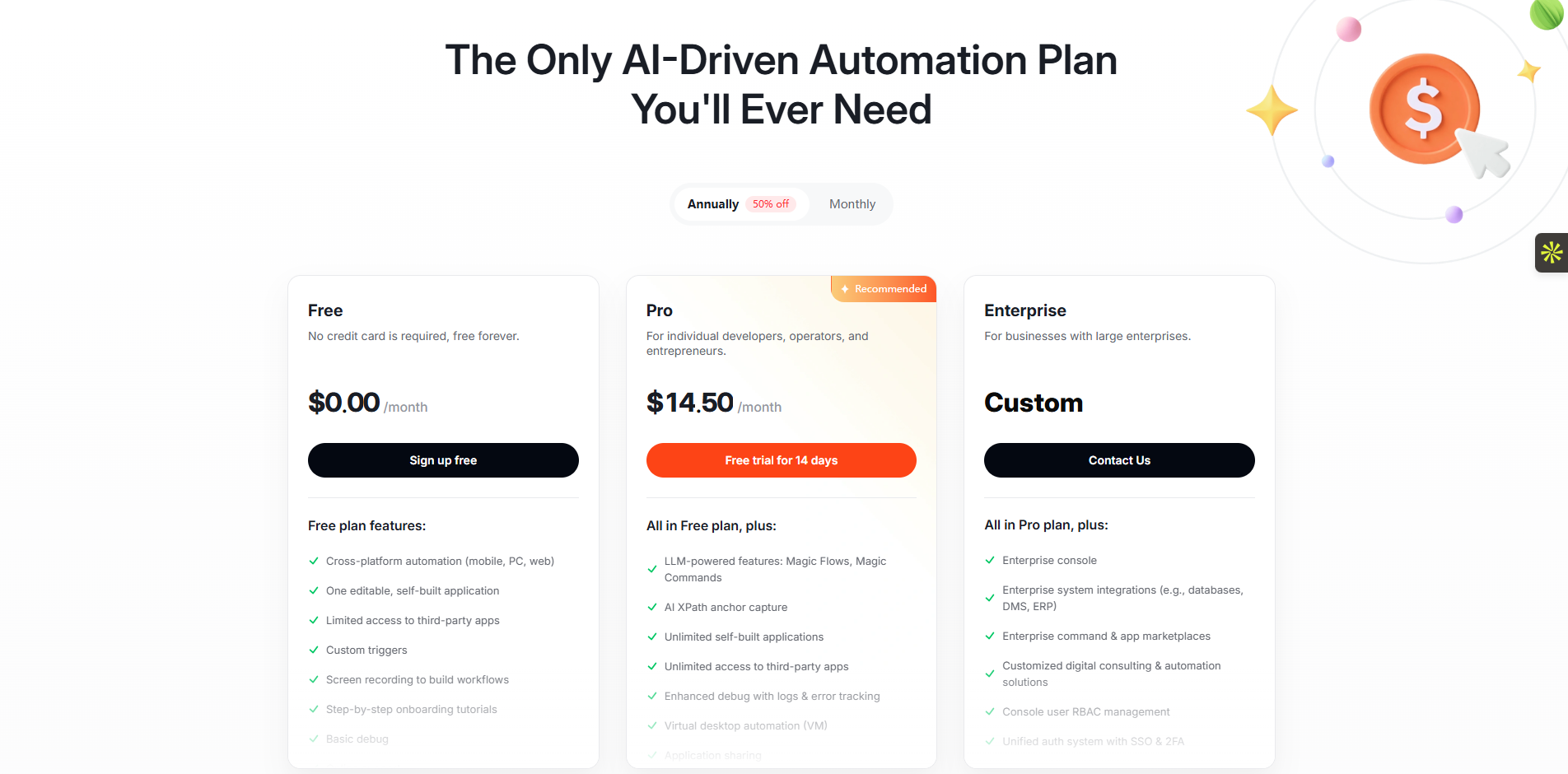
Free ($0/mo): Free forever without a credit card. It includes basic debugging and cross-platform automation.
Pro ($14.50/mo): Billed annually. It adds AI magic commands, unlimited app access, and advanced error tracking.
Enterprise (Custom): Provides an enterprise console, SSO login, role access control, and deep system integrations.
 Zapier
Zapier is a workflow automation tool that moves data between web apps instantly. I use it mostly for quick marketing tasks. You can connect over 7,000 apps like Slack, Gmail, and HubSpot to capture leads and send alerts. Given its massive directory, it is the best platform for building simple, linear tasks fast. What I really like is the visual Zap builder. If a new lead fills out a Facebook form, you can send an automatic email in two minutes. Teams at Spotify and Meta use Zapier daily.
Key Features
A massive app directory connects over seven thousand web tools for instant data routing.
The visual drag-and-drop builder lets you set up linear automation rules in minutes.
Automated multi-step workflows trigger sequential actions across several different business applications seamlessly.
Built-in logic paths format text, filter incoming leads, and delay specific task actions.
Zapier Copilot writes code and builds complete workflows based on your simple text prompts.
Pros
Extremely fast setup that requires zero coding knowledge.
Massive app directory means it connects to almost everything.
It runs basic, linear tasks with very high reliability.
Cons
Task-based pricing drains your budget quickly if you run heavy flows.
Branching logic confuses the system and makes flows hard to manage.
It lacks deep enterprise security features out of the box.
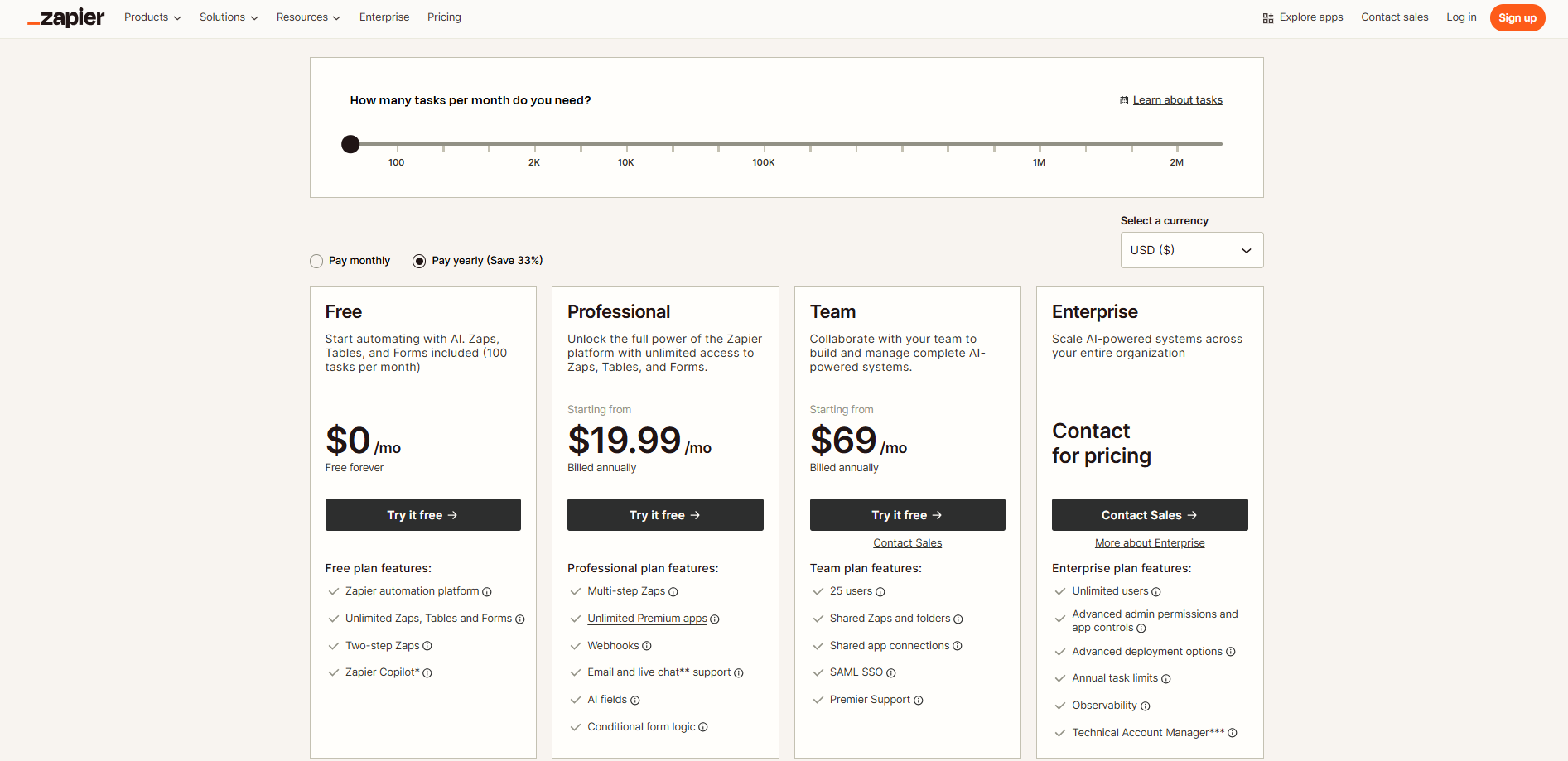
Free ($0/mo): Free forever. Includes two-step Zaps, unlimited Zaps, Tables, Forms, and Zapier Copilot.
Professional (Starts $19.99/mo): Billed annually. Adds multi-step Zaps, unlimited premium apps, webhooks, AI fields, and logic.
Team (Starts $69/mo): Billed annually. Supports 25 users, shared folders, app connections, SAML SSO, and premier support.
Enterprise (Custom): For scaling. Includes unlimited users, advanced admin controls, custom deployment, and a technical account manager.
 Make
Make
Make handles complex data routing better than almost anything else on the market. I use its visual canvas to manage massive workflows that split data across five different departments. You actually see the exact path your data takes between Airtable and Pipedrive. It includes excellent error handling, too. If an API connection drops, Make automatically catches the mistake and retries the step. Brands like Heineken run operations on it. Instead of forcing developers to write custom Python scripts for complex conditional logic, business users can just drag and drop modules to get the job done.
Key Features
The visual canvas shows exact data paths across your complex, multi-step routing operations.
Built-in error handlers catch broken API connections and retry failed steps automatically for you.
Advanced data routers split incoming information into multiple different paths for separate department actions.
You can schedule specific workflow executions down to the exact minute for precision.
Full-text execution logs help you search and find specific errors in your data quickly.
Pros
Great for multi-step logic and complex data routing.
Generally cheaper than Zapier when you run simple daily tasks.
Visual canvas makes data paths incredibly easy to track.
Cons
It charges by the operation, so heavy flows burn your limit fast.
The canvas gets messy and confusing if you lack strict naming rules
The system presents a harder initial learning curve than simple list builders.
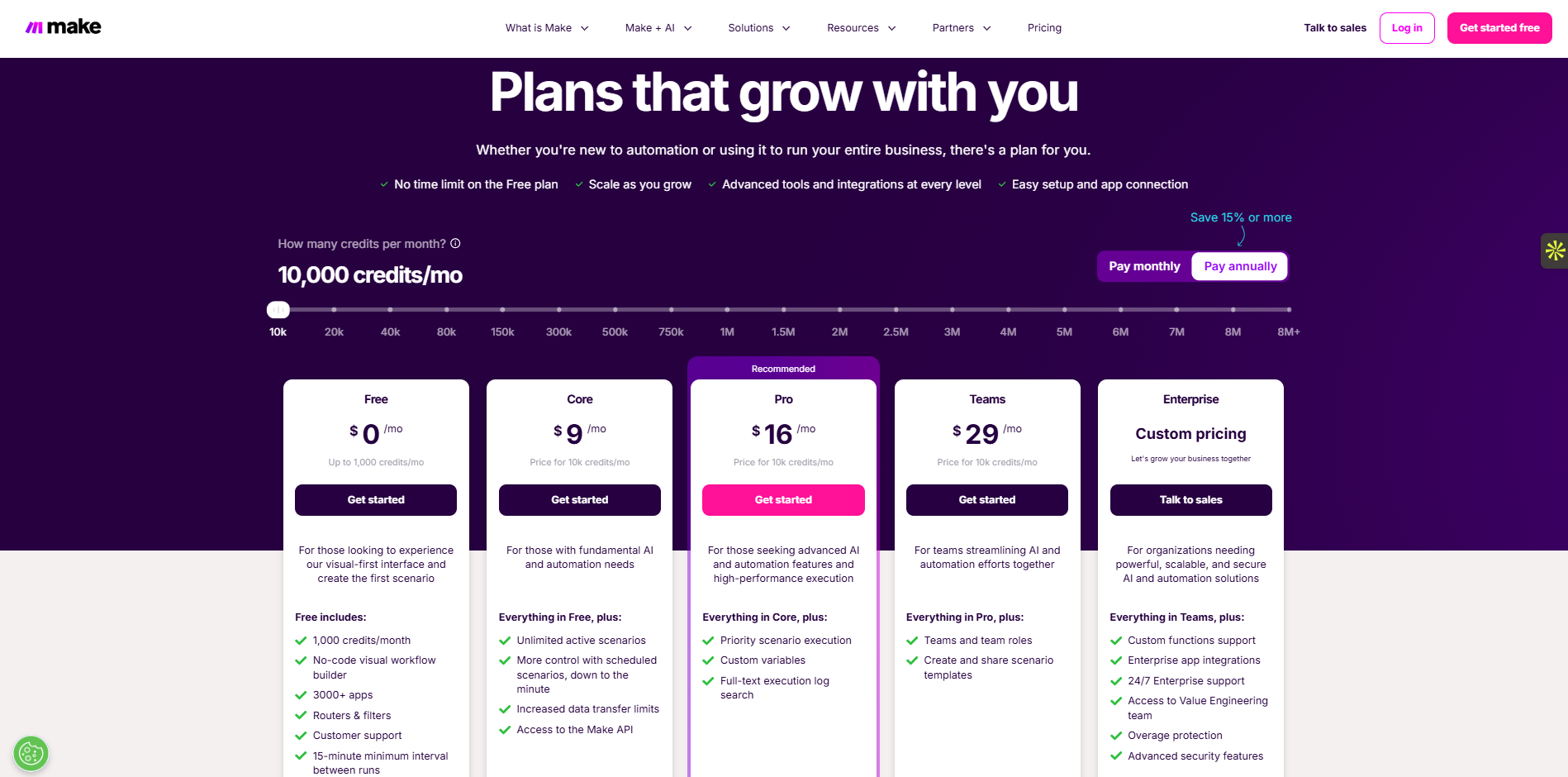
Free ($0/mo): Includes 1,000 credits per month, a visual workflow builder, and 3000+ apps.
Core ($9/mo): Adds unlimited active scenarios and full access to the Make API.
Pro ($16/mo): Offers priority scenario execution, custom variables, and full-text execution log search.
Teams ($29/mo): Includes specific team roles and allows you to share scenario templates.
Enterprise (Custom): Provides advanced security features, custom functions, and 24/7 enterprise-grade support.
 n8n
n8n
Data privacy laws force many companies to keep information on their own servers. That is exactly why I use n8n for sensitive financial records. You can host this open-source platform internally and link it directly to a secure PostgreSQL database. Tech teams at Logitech use it to keep their workflows private. I also appreciate the flexibility it gives developers. If an API response looks wrong, you can write custom JavaScript right inside the node to fix it. You get total control over your architecture without trusting a public cloud vendor with your private company data.
Key Features
Self-hosting options give your IT team total control over sensitive private company data.
Native Git integration controls workflow versions and protects your architecture from bad team edits.
You can write custom JavaScript inside specific nodes to fix broken API responses manually.
The fair-code model keeps your long-term software costs low while allowing deep customization.
Sub-workflows let you reuse common logic across multiple different projects to save time.
Pros
Self-hosting ensures total data privacy for your company.
It lowers your long-term software costs significantly.
Native Git version control keeps your workflows safe from bad edits.
Cons
Your IT team must manage server updates and data backups manually.
The platform presents a steep learning curve for non-developers.
Cloud-hosted plans limit execution numbers strictly.
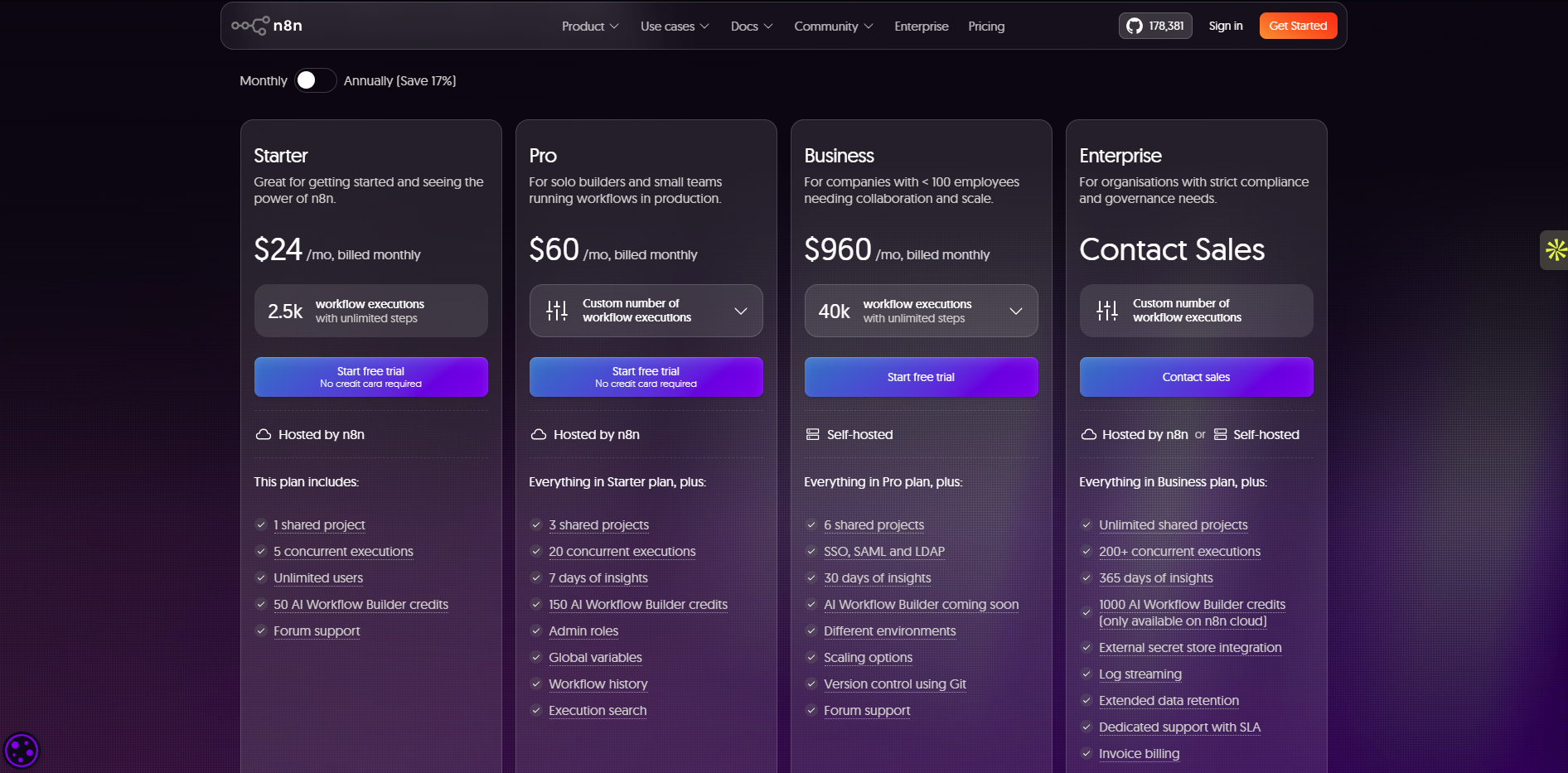
Starter ($24/mo): Includes 2.5k workflow executions, 1 shared project, and basic forum support.
Pro ($60/mo): Gives you 3 shared projects, 20 concurrent executions, and workflow execution search.
Business ($960/mo): Offers 40k executions, SSO/SAML integration, and diverse scaling options.
Enterprise (Custom): Unlocks unlimited shared projects, log streaming, and dedicated SLA support.
 Workato
Large enterprises require strict security rules that basic tools ignore. Workato exists to solve that problem. I have seen it sync millions of rows of data safely between massive ERPs like NetSuite and cloud apps like Zendesk. It enforces role-based access control and builds complete audit logs for every action. Global organizations like Broadcom and Slack rely on it for backend operations. I specifically value how it separates testing from production environments. Your IT team gets a unified, secure platform, killing off the messy shadow IT that normally plagues large organizations.
Key Features
Strict role-based access controls keep your sensitive enterprise data safe from unauthorized internal users.
Full audit logs record every user action to ensure complete IT compliance and security.
The system separates testing and production environments to prevent accidental workflow crashes during updates.
Recipe accelerators provide pre-built templates for complex enterprise processes like employee onboarding and syncing.
Enterprise-grade connectors link massive legacy ERP systems like NetSuite directly to modern cloud apps.
Pros
It provides extremely high security standards for enterprise IT.
IT teams can build safe, reusable connectors for business users.
It processes massive enterprise data volumes perfectly.
Cons
The software is very expensive compared to standard tools.
Purchase requires slow and heavy security reviews.
It requires dedicated training time for new team members.
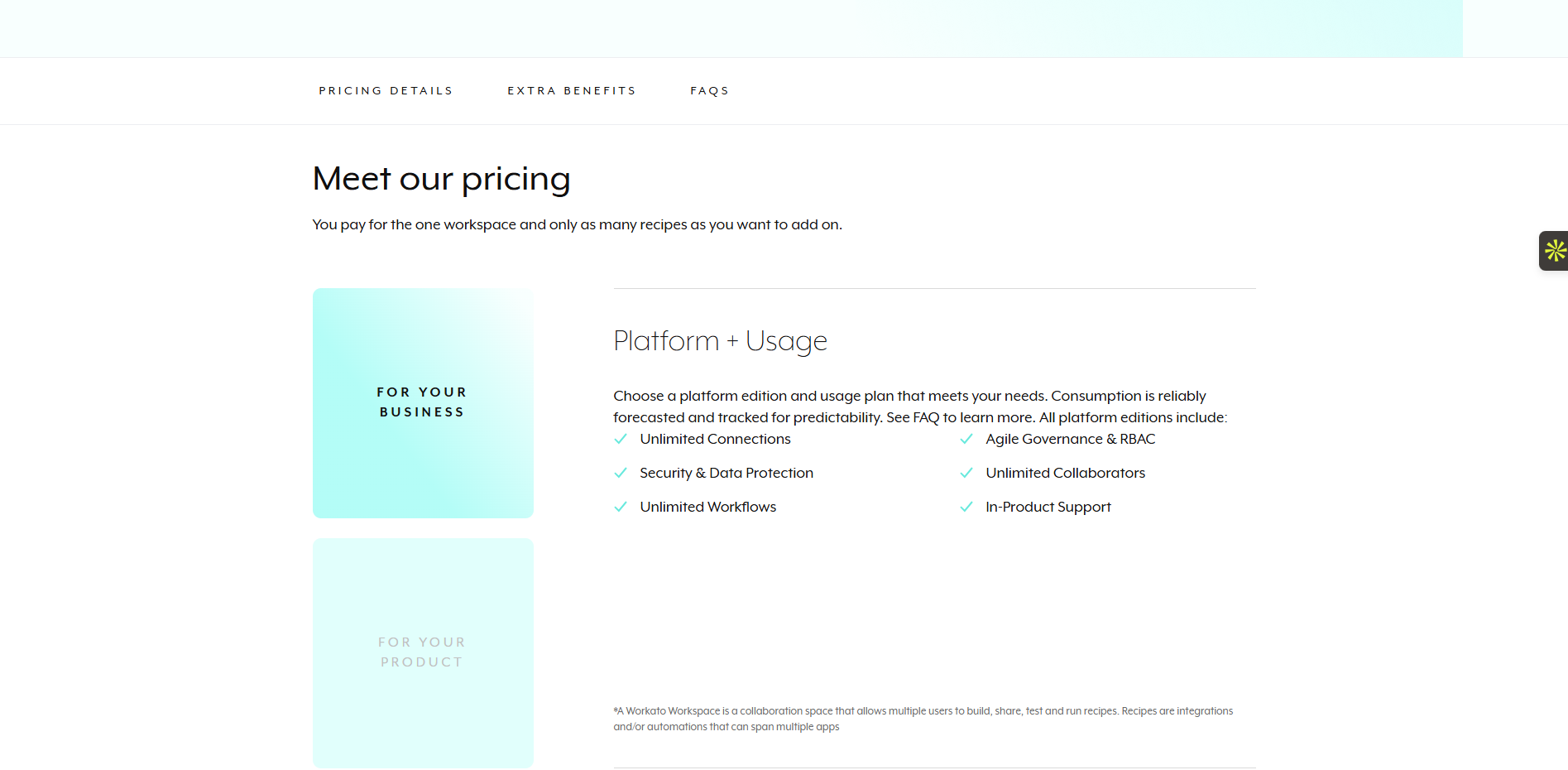
Platform + Usage (Custom): Pay for one workspace and add recipes. Includes unlimited connections, workflows, and RBAC.
 Tray.io
When mid-market companies outgrow simple workflow tools, they usually move to Tray.io. I turn to this platform when an operations team needs to process heavy data pipelines without crashing their target systems. It manages massive API queues perfectly. If your sales team suddenly updates 10,000 records in Salesforce, Tray paces the requests so nothing breaks. Tech companies like GitHub and HackerOne scale their operations with it. I really value how it handles complex looping logic for revenue teams. The platform keeps your data flowing smoothly during massive traffic spikes.
Key Features
Advanced data queues manage massive information spikes without crashing your target business systems.
Custom API handlers process complex looping logic perfectly for large revenue operations teams.
The Merlin AI agent builder lets you create smart conversational bots for your staff.
Pre-built accelerators speed up your integration setups for common marketing and sales software workflows.
Built-in error management tracks failures and retries complex processes to keep data pipelines flowing.
Pros
Highly reliable when you need to process massive data volumes.
Excellent error tracking keeps your data pipelines safe.
Advanced queuing stops target APIs from crashing during data spikes.
Cons
It requires strong technical thinking to set up properly.
It is simply too complex for basic, daily personal tasks.
Initial setup takes much longer than basic no-code tools.
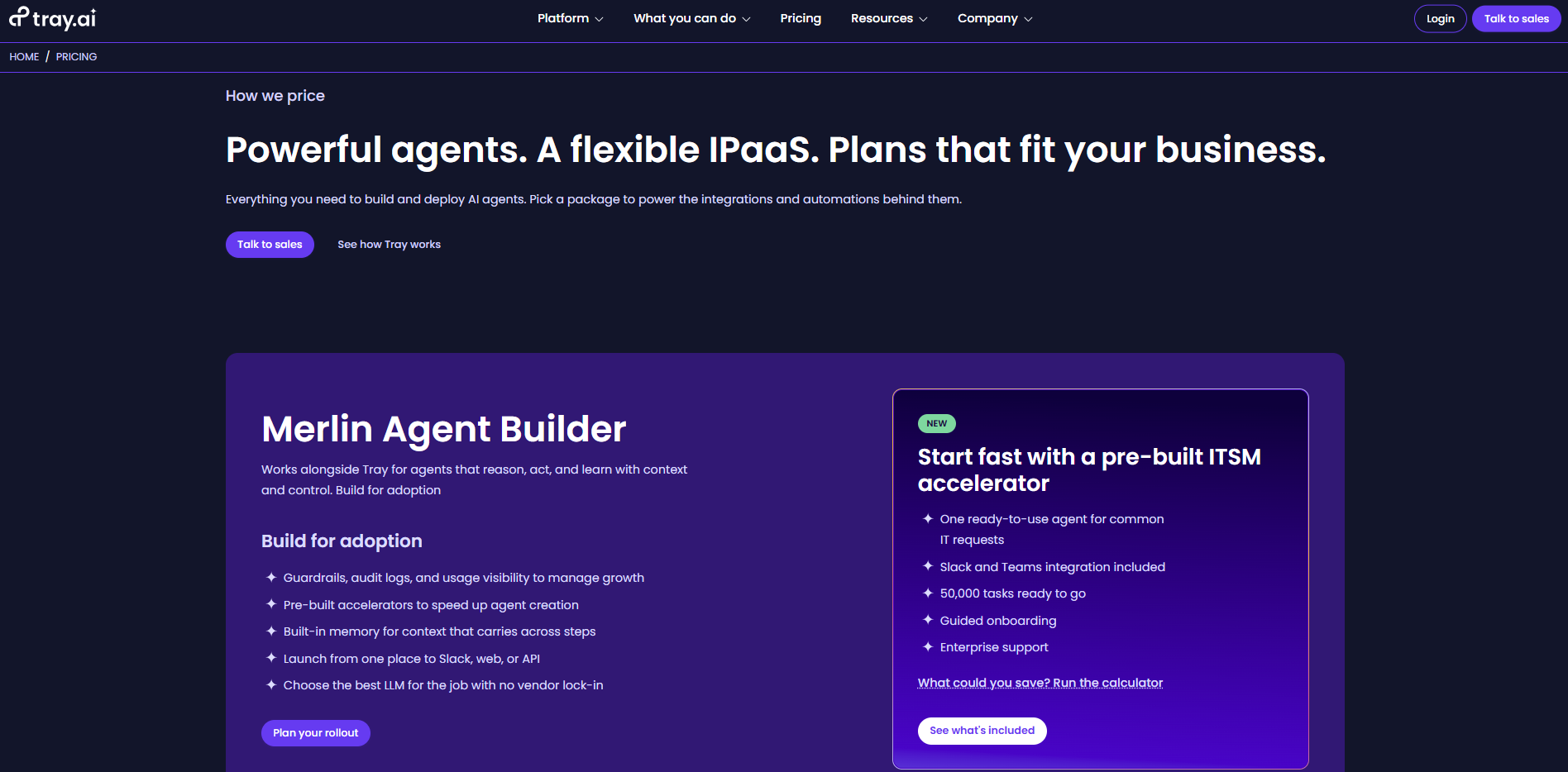
Flexible IPaaS (Custom): Talk to sales for custom plans to build AI agents using the Merlin Agent Builder.
 MuleSoft
MuleSoft acts as the bridge between aging custom mainframes and modern cloud software. I evaluate it when global banks or telecommunications companies need to expose old customer data safely. It builds an extremely secure API network across the entire enterprise. Giant corporations like AT&T trust it to handle massive data pipelines and complex security protocols. My favorite feature is the Anypoint platform, which lets developers design reusable APIs.
Key Features
The Anypoint platform lets developers design and publish secure, reusable APIs for your enterprise.
Custom legacy connectors link aging company mainframes directly to modern cloud software safely.
The system manages massive global data pipelines using complex, banking-grade security protocols.
IT teams can map business goals directly to Salesforce capabilities using built-in success trackers.
Specialized architecture reviews identify performance bottlenecks and fix your custom DataWeave scripts quickly.
Pros
It is highly secure for moving sensitive corporate data.
Extremely powerful for connecting a custom global IT architecture.
Connects aging legacy systems to modern cloud apps safely.
Cons
It requires expensive, certified developers to maintain the system.
It acts as extreme overkill if you only need standard SaaS connections.
It holds a massive learning curve for standard IT staff.
Premier Success Plan (Custom): Offers personalized expert guidance, developer support, and 24/7 phone support with one-hour response times.
Signature Success Plan (Custom): Includes a designated manager, 15-minute response times, and specialized architecture reviews for technical health.
 Pipedream
Developers usually hate visual workflow builders. Pipedream gives them actual code instead. I use it when I need to capture fast webhooks and write custom Node.js or Python directly in the browser. It processes data instantly from systems like Stripe or GitHub. Engineering teams at Vercel use it because it executes actions with incredible speed. I appreciate that it requires absolutely zero server maintenance. If you need a custom API endpoint live in five minutes, Pipedream hosts it automatically. You just write the logic and watch it run.
Key Features
You write Node.js or Python directly in your browser to process fast webhooks instantly.
The platform requires absolutely zero server maintenance from your busy software engineering team.
Instant live data testing lets you verify your custom code logic before deploying it.
Pre-built authentication modules handle OAuth tokens for hundreds of external third-party applications automatically.
You can build and host custom API endpoints in minutes without managing AWS servers.
Pros
It executes code incredibly fast for software engineers.
It requires absolutely zero server maintenance from your team.
Instant webhook handling processes incoming data immediately.
Cons
Business users cannot read or understand the code workflows.
The tool proves completely useless for non-technical staff.
It lacks a visual interface for complex data mapping.
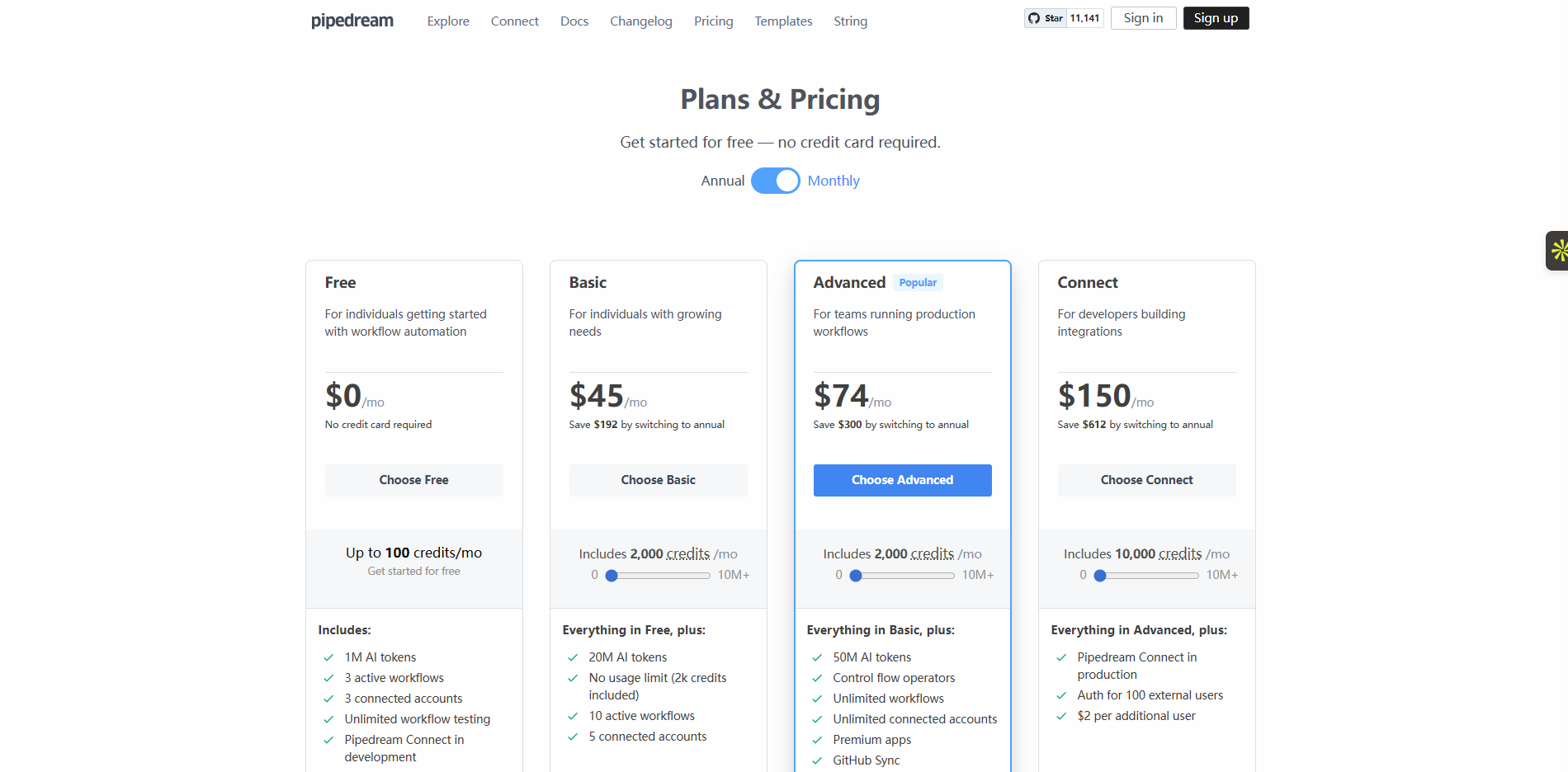
Free ($0/mo): Provides 100 credits monthly, 3 active workflows, and 3 connected accounts.
Basic ($45/mo): Upgrades to 2,000 credits, 10 active workflows, and 20M AI tokens.
Advanced ($74/mo): Delivers unlimited workflows, unlimited connected accounts, and GitHub sync.
Connect ($150/mo): Gives 10,000 credits and adds authentication support for 100 external users.
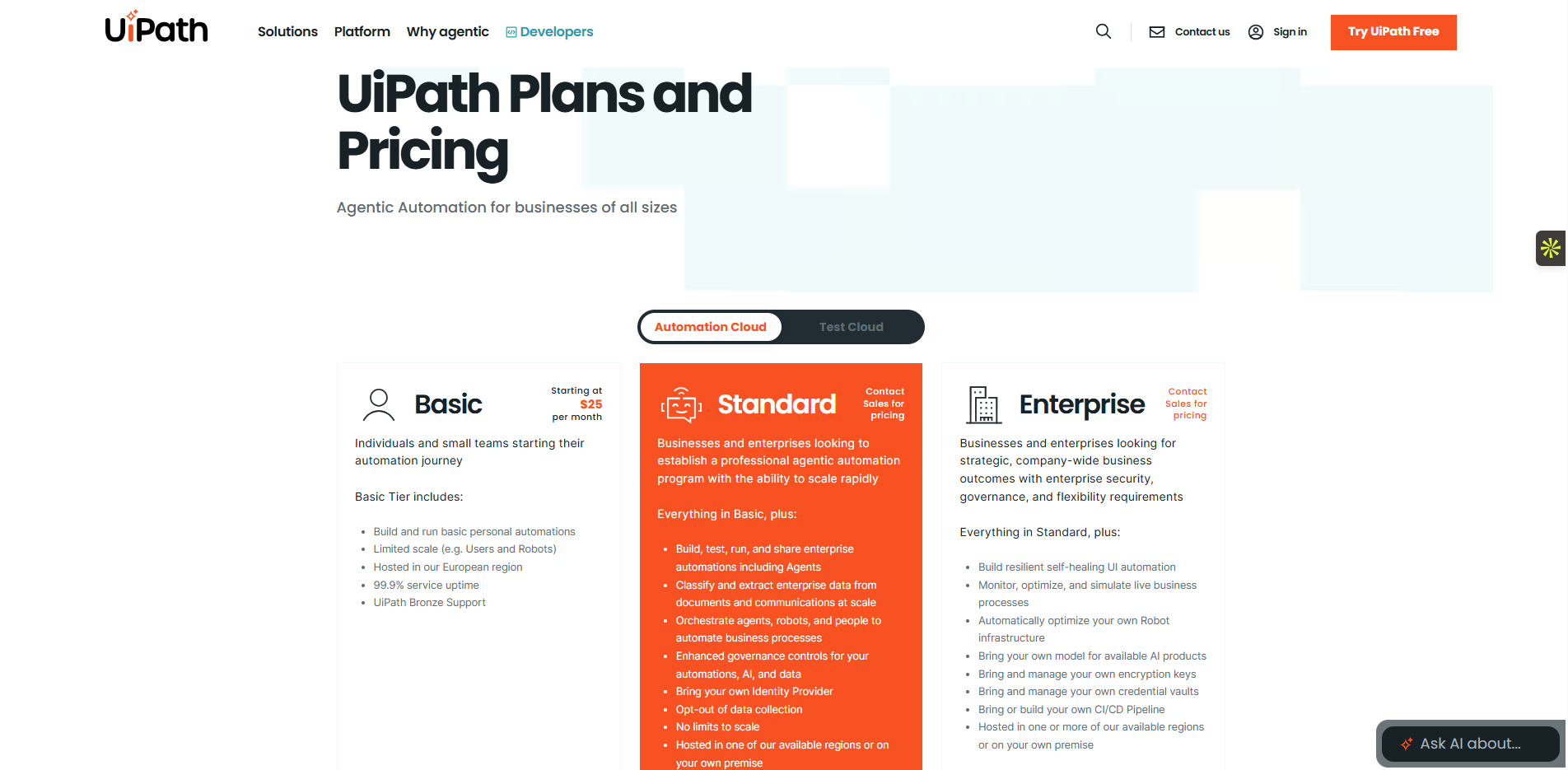
 UiPath
Many 15-year-old accounting programs lack APIs entirely. UiPath fixes this blind spot using robotic process automation. I deploy it to mimic human actions, recording mouse clicks and keystrokes to pull data directly from old desktop screens. It extracts invoice details and moves them into modern Excel files flawlessly. Corporations like Uber use its bots to run massive daily tasks. I rely heavily on its robust character recognition software. Instead of paying a data entry clerk to type identical numbers all day, you let a software bot finish the job accurately.
Key Features
Robotic process automation records your exact mouse clicks and keystrokes to mimic human actions.
Advanced character recognition extracts precise text details from old, messy desktop accounting screens.
The system pulls data from legacy software that lacks modern API connections completely.
Central orchestrators monitor and control thousands of automated bots across your entire global company.
Self-healing UI automation adapts to minor screen layout changes without breaking your active processes.
Pros
Automates old legacy software perfectly without needing any APIs.
Provides strong enterprise-level reliability for heavy tasks.
Records human screen actions to build bots fast.
Cons
Bots fail instantly when the desktop screen layout changes.
The software comes with very high ongoing maintenance costs.
Requires heavy local computer resources to run effectively.
Basic ($25/mo): Lets you build basic personal automations with limited user scale.
Standard (Custom): Orchestrates enterprise agents, scales rapidly, and lets you opt-out of data collection.
Enterprise (Custom): Builds resilient self-healing UI automation and manages your own encryption keys.
 Automation Anywhere
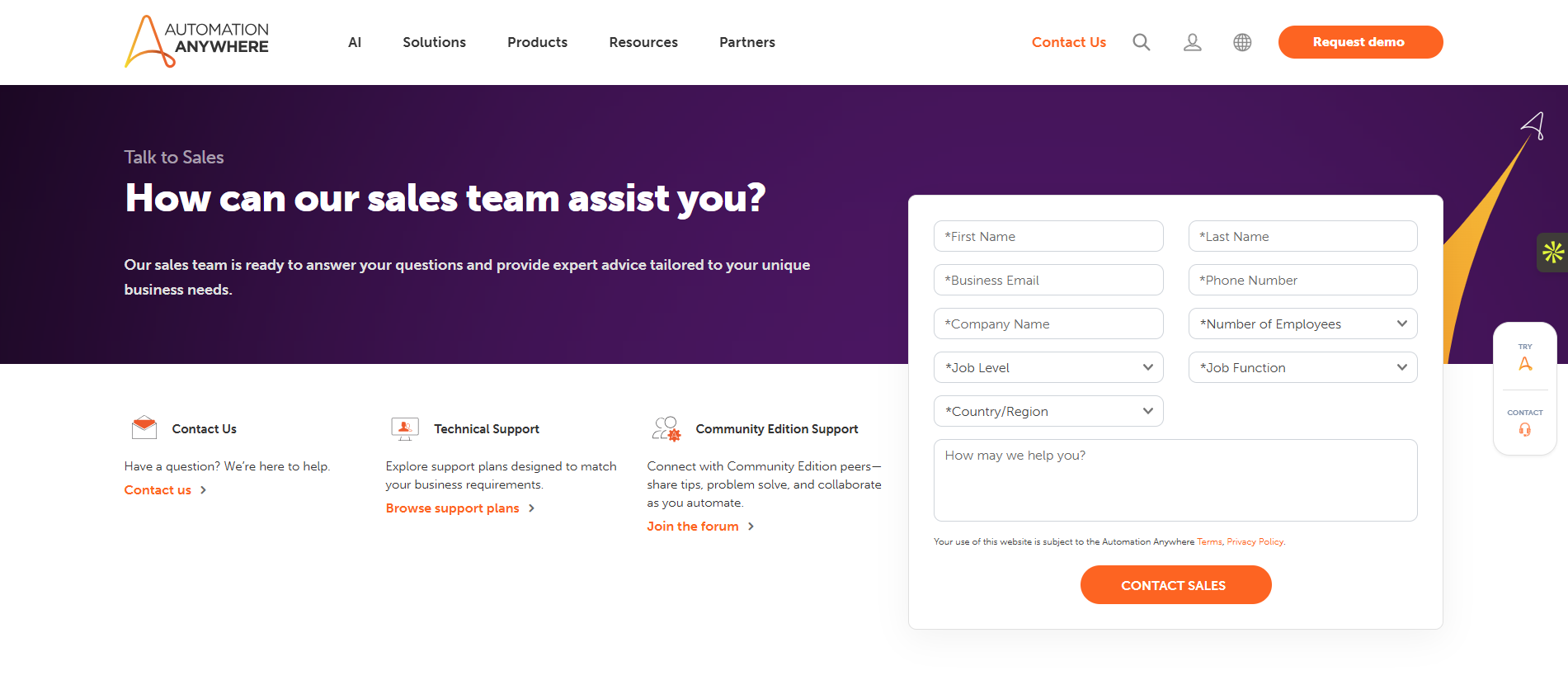
Managing desktop bots across multiple global offices gets messy fast. Automation Anywhere solves this by using a cloud-native platform. I use it to deploy and monitor thousands of bots from a single web dashboard. It interacts with legacy Windows applications while connecting to modern cloud tools. Enterprises like Dell rely on it for company-wide automation. The central control room provides massive value. If your finance team in London updates a tax rule, you push the new logic to the Tokyo office instantly. Everything runs securely from your web browser.
Key Features
The cloud-native control room lets you deploy and manage thousands of global bots centrally.
You can update bot logic in one office and push it globally in seconds.
The platform interacts with legacy Windows applications and modern cloud tools at the same time.
You run and monitor all heavy desktop automations securely from a standard web browser.
Pre-built bot components let business users assemble automated tasks without knowing how to code.
Pros
Dashboards make bot management easy for distributed teams.
It provides strong support for connecting older systems.
Cloud-native design removes the need for local servers.
Cons
It carries the exact same screen-change failure risks as UiPath.
It is not built to handle modern API connections effectively.
Pricing structure gets complex as you add more bots.
Starting Price (Custom): The starting price requires a custom quote.
 IFTTT
IFTTT
IFTTT targets personal productivity and home devices rather than heavy business logic. I use it purely for small daily tricks. You connect apps like Spotify, Twitter, and Philips Hue using very simple trigger rules. Millions of consumers rely on it to automate their morning routines. I like how quickly you can set it up on a mobile phone. If you want to automatically log your completed workouts into a Google Sheet, it does that in seconds. One basic rule handles tasks that normally force you to open five different apps.
Key Features
Simple trigger rules connect your smart home devices to mobile phone features instantly.
The platform automates daily personal productivity tasks without requiring any complex business logic.
You can set up new automation applets directly on your mobile phone in seconds.
Multi-action workflows let a single voice command trigger five different consumer applications simultaneously.
Filter code allows you to add specific timing conditions to your personal home routines.
Pros
Offers an extremely simple interface for absolute beginners.
Perfect for small home life hacks and basic tasks.
Connects easily to mobile phone features natively.
Cons
Lacks complex branching logic completely.
Holds zero enterprise security to protect sensitive information.
Gives no detailed error logs when things break.
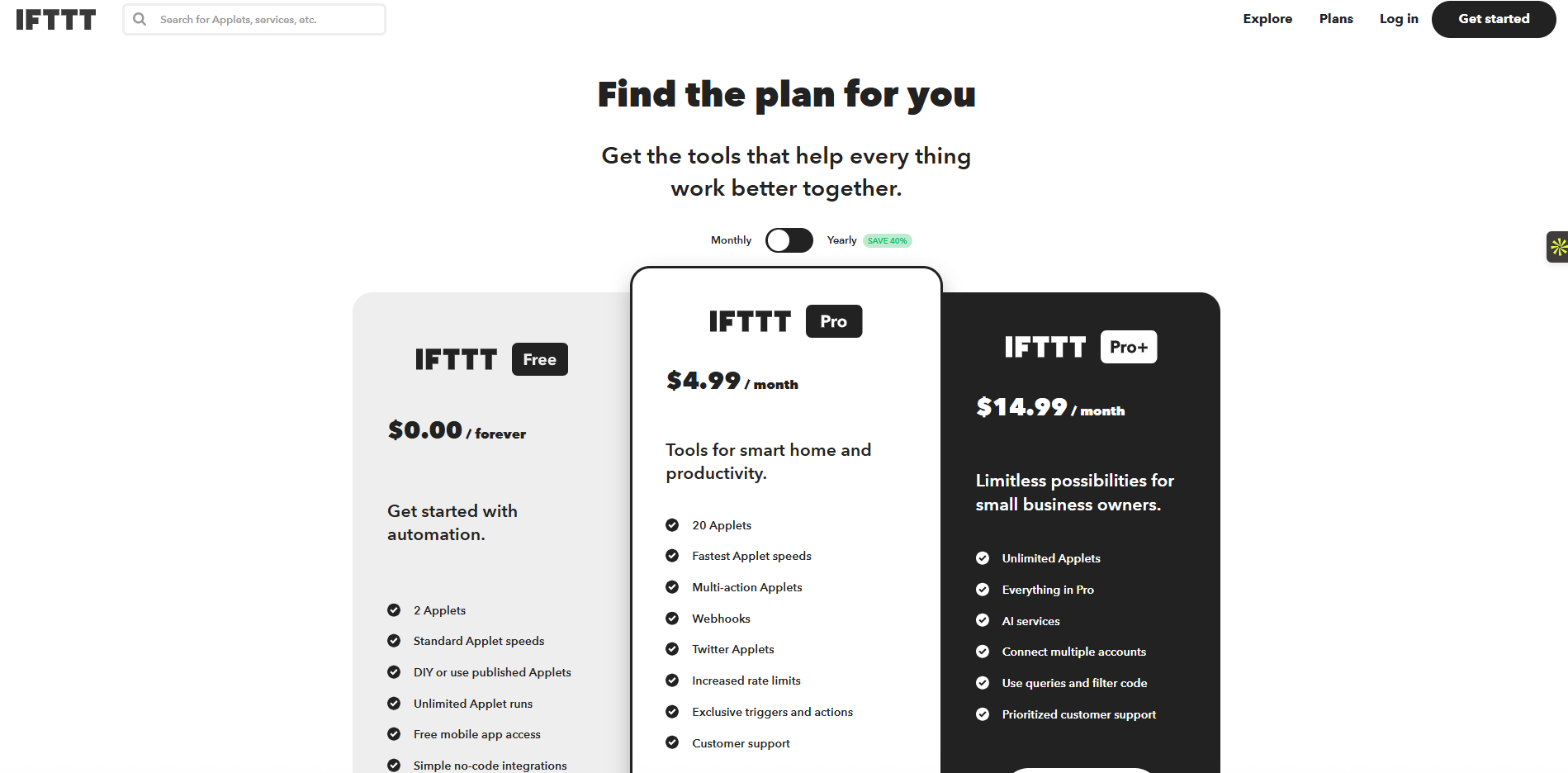
Free ($0/mo): Includes 2 simple applets, standard speeds, and free mobile app access.
Pro ($4.99/mo): Adds 20 applets, fastest speeds, multi-action workflows, and custom webhooks.
Pro+ ($14.99/mo): Unlocks unlimited applets, AI services, filter code, and multiple account connections.
 Automa vs. Microsoft Power Automate
Microsoft bundles Power Automate into your workspace. It feels free until you try to build a real business process. You hit a paywall the moment you need to connect outside apps or add smart decision-making. You must buy premium connectors or set up separate Azure AI services. Your simple project quickly becomes a confusing, expensive mess.
You need a tool that adapts, not one that restricts you. Automa beats Power Automate because it merges robotic execution with an AI brain directly in one platform. You do not need to stitch different Microsoft licenses together. Automa gives you a cognitive loop. It reads context and makes decisions on the spot, rather than just clicking exactly where you tell it to click.
Let's look at exactly how they compare across daily operations:
Building flows
Power Automate requires scripting and technical knowledge for advanced tasks.
Automa uses a drag-and-drop builder and an AI Magic Command. You type plain text instructions, and the system builds the logic automatically.
App ecosystems
Power Automate locks you into Microsoft 365. If you want to connect Salesforce or Slack, you pay extra for premium connectors.
Automa connects to over 1,000 apps right out of the box without premium penalties.
Adding intelligence
Power Automate forces you to buy AI Builder add-ons to get smart features.
Automa includes built-in AI agents, GPT models, and cognitive OCR. It processes unstructured data like emails and invoices immediately.
Predicting costs
Microsoft hides fees in multiple tiers and add-ons.
Automa uses a clear, modular pricing model. You pay only for what you use, making enterprise scaling predictable.
Deployment
Power Automate restricts you mainly to Windows and cloud environments.
Automa runs flexibly across cloud, hybrid, Windows, Mac, and Linux environments.
Automa delivers enterprise-ready automation without the heavy complexity. You scale smarter, not harder.
How to Choose Best Power Automate Alternatives?
You cannot pick software by looking at shiny features. You must look at your actual business rules. Operations teams often buy tools that look good but fail in real life. I use a strict checklist to evaluate automation platforms. This checklist helps you choose the right Power Automate alternative for your specific tech stack.
Follow these five exact steps to evaluate any tool:
Check predictable pricing (No hidden fees)
Software vendors hide the true cost of scaling. Find out exactly how they count task usage. Does a sudden spike in data records ruin your monthly budget? Look at your complete 12-month cost. You must include platform fees, premium connectors, and necessary support packages.
Verify deep non-Microsoft connections
Power Automate keeps you inside Windows. Your new tool must connect smoothly to outside software like Salesforce, Slack, or Google Workspace. A vendor might claim they support an app, but they only allow basic read functions. Ensure the tool reads and writes custom fields.
Test reliability and error handling
APIs drop connections constantly. Cloud apps go down. Your tool must handle these common failures gracefully. If a platform lacks a clear failed jobs list, reject it immediately. You need automatic retries and clear error alerts so you can fix broken flows fast.
Demand enterprise security
Data breaches destroy companies quickly. Your IT department needs total control over user actions. Require built-in security from day one. You need single sign-on (SSO), strict role-based access control, and complete audit logs. Do not compromise on company data privacy.
Look for AI and easy logic building
Complex business rules make visual flow charts unreadable. A modern tool uses artificial intelligence to read context and build logic. For example, Automa lets you build flows using simple text instructions. Choose software that makes multi-step routing visible and easy to update.
Conclusion
Power Automate is popular because it is bundled with Microsoft, but it punishes you for scaling. After testing all these platforms over the past couple of years, the biggest thing I learned is that the best automation tool is the one you actually use consistently. A tool that fails quietly costs you more in troubleshooting hours than its monthly subscription fee.
Pick a tool that runs reliably, monitors easily, and costs predictably. If you want to build workflows that actually reason through tasks using AI, I recommend starting with Automa. It saves my team roughly 10 hours a week, and the setup takes minutes.
FAQs
Is there a free Power Automate alternative?
Yes. Automa offers a free plan that includes essential automation tools and screen recording. If you have the technical skills, you can also run the community edition of n8n for free by self-hosting it.
Which alternative is best for Google Workspace?
Zapier and Make handle Google Workspace easily for quick, daily tasks. If you need deeper, template-driven Google Workspace automation for IT ticketing and onboarding, Automa works best.
Which is best for enterprise security?
Automa leads to pure iPaaS space for security. It provides high-level security standards, including SOC 2 and GDPR compliance, utilizing AES-256 encryption and role-based access control.
Can I self-host an automation tool?
Yes. You can self-host n8n and Apache Airflow.() Just remember that self-hosting means your IT team must manage server maintenance, backups, and security patches.
What if I need desktop automation (RPA)?
UiPath and Automation Anywhere handle heavy legacy RPA. Automa offers a modern approach by combining AI reasoning with reliable robotic execution, allowing agents to understand the goal and adjust to UI changes in real-time.