


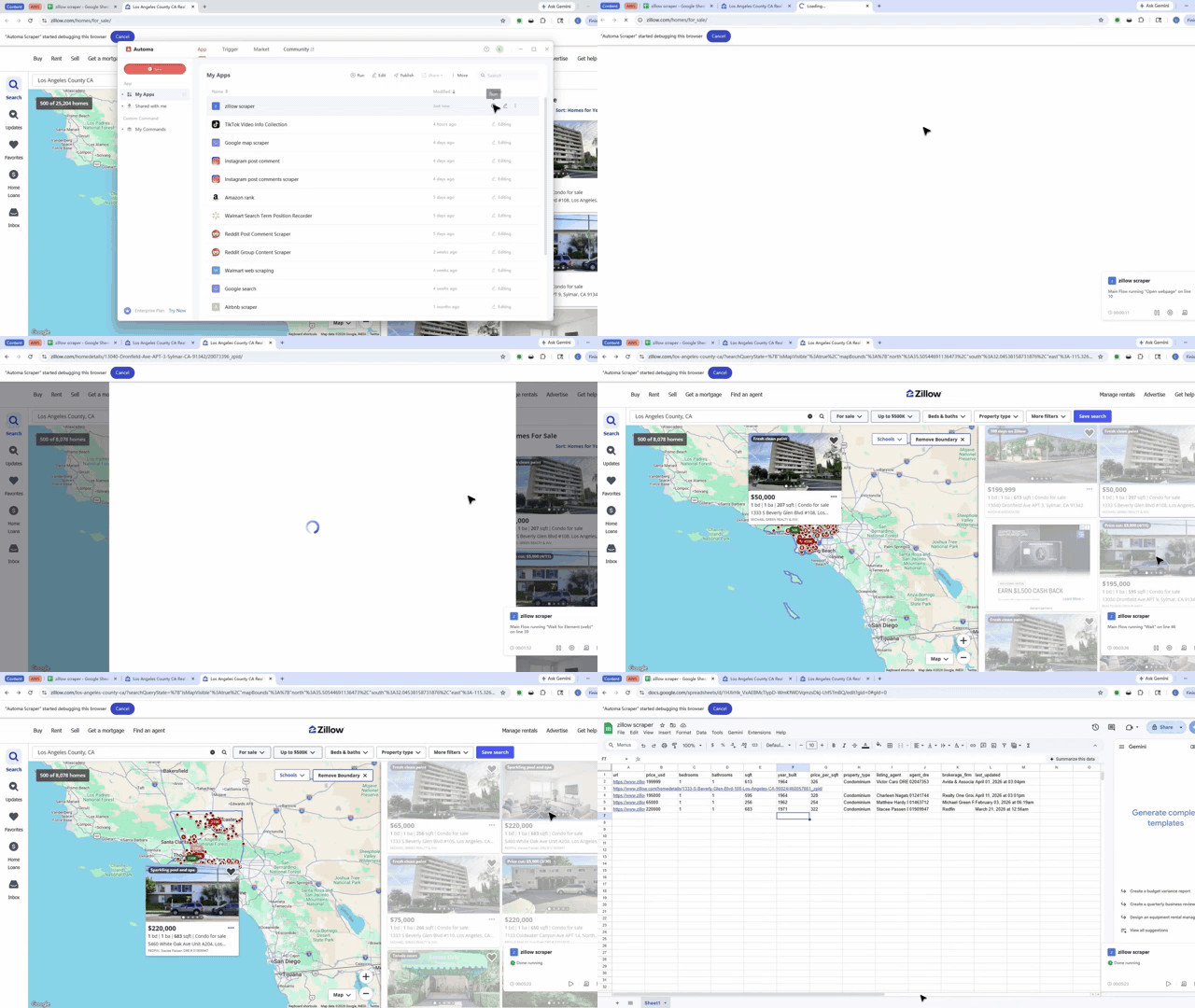
What problem this workflow solves?
Finding house data on Zillow is slow. You often have to click every listing and copy details by hand. This tool fixes that. It automatically grabs property info for you. It even finds "lazy-loaded" data that only appears when you scroll. You no longer have to worry about missing a house or making a typing mistake.
Key Solutions:
- Stop manual copying: No more clicking and typing for hours.
- Handle hidden data: The tool finds listings that only show up when you scroll.
- Clean data: It organizes everything into a neat list automatically.
What does this workflow do?
This tool reads a Zillow page and finds every house listing. It mimics a real person by moving the mouse over each item to see hidden details. Then, it pulls out the price, address, and more. Finally, it saves all that info into a table or a file for you to use.
Core Capabilities:
- Auto-scrolling: It moves down the page to find every listing.
- Data extraction: It pulls specific facts like price and square feet.
- File saving: It writes all the results into a single document.
Who is this for?
This is for real estate agents, marketers, and researchers. If you need to study many houses at once, this tool saves you a lot of time. It is simple enough for beginners but powerful enough for experts who need large amounts of data.
Typical Users:
- Real Estate Agents: People tracking local house prices.
- Data Analysts: People studying housing trends in different cities.
- Researchers: Anyone who needs a big list of property details fast.
How does it work?
The workflow follows a clear plan to get your data. First, it connects to your open Zillow page. It scrolls down to make sure it sees every house. Then, it loops through the list, picks up the data, and puts it into a table.
- Connect: The tool links to your browser.
- Scan: It scrolls to find every house listing on the page.
- Extract: It pulls the details for each house one by one.
- Save: It writes the final list into a workbook.
The Environment Checklist
Check these items before you start. This ensures the workflow runs without errors.
- Install Automa: Use the latest version of the application.
- Log in: Sign in to your account on the web and the app.
- Stable Internet: Make sure your connection is strong.
Input Mapping
The tool uses simple internal settings to move data. You do not need to enter complex codes. It knows where to look on the page and where to save the files.
- Browser: It uses your active web page.
- Selectors: It finds the right spots for house prices and addresses.
- Output: It sends the data to a data table or file.
Need help customizing?
You can change this workflow to fit your needs. If you want to change what data it picks up, help is available.
- Discord: Join our group to ask questions and share tips.
- Feedback: Use the feedback button to report any issues.
- Collaborate: Talk with other users to improve your workflow.