


What problem this workflow solves?
Finding the right Instagram creators by hand takes too much time. You usually have to search keywords, open profiles, and copy data into a sheet one by one. This instagram scraper fixes that. It automates the influencer search and saves all the details for you. It stops you from making manual mistakes and helps you compare creators much faster.
It helps you avoid:
- Repetitive searching: No more typing the same keywords over and over.
- Manual copying: The tool pulls data like emails and follower counts automatically.
- Lost progress: If the run stops, you can start again from where you left off.
What does this workflow do?
This tool searches Instagram topics using your keywords. It finds creator links from posts and visits their profiles. It picks up emails, follower counts, and average engagement numbers. Finally, this marketing tool saves all the information into an Excel file on your desktop.
- Find creators: It collects profile links based on your niche.
- Check stats: It calculates average likes, comments, and video views.
- Filter results: It only saves creators that match your follower or region goals.
- Export data: It creates a clean Excel list for your team.
Who is this for?
This is for anyone who needs to find creators for marketing or sales. It is perfect for teams that build outreach lists or study competitors. If you have a list of niche keywords and want a clean dataset, this workflow is for you.
Typical Users:
- Marketing Teams: People building lists of niche influencers.
- Agencies: Teams managing outreach for many different clients.
- Researchers: People comparing how creators grow in different regions.
How does it work?
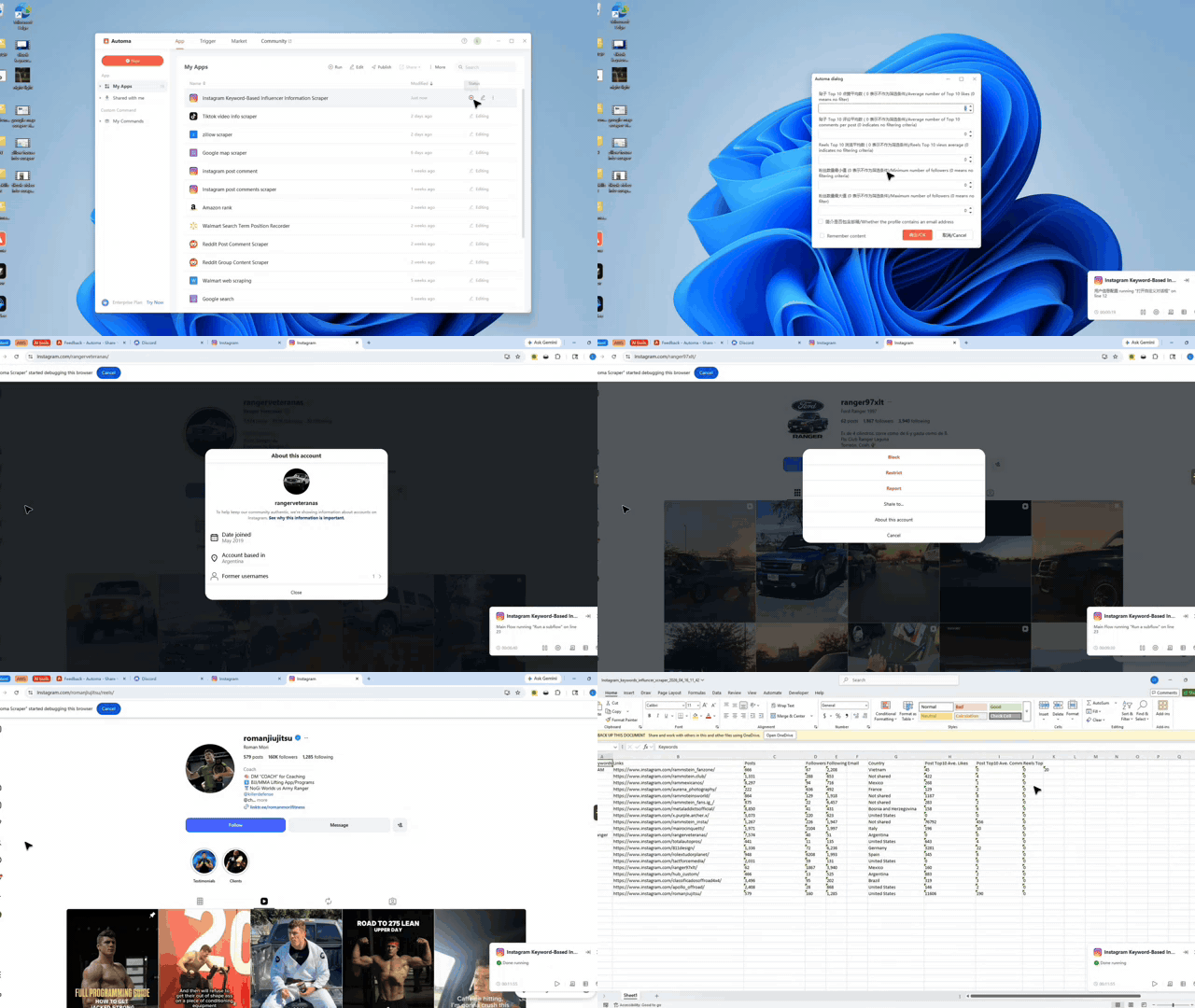
The workflow runs in a few simple stages. First, you enter your keywords and filter rules in a setup box. The tool then searches Instagram and gathers profile links. It visits each profile to check their bio and engagement stats. If the creator matches your rules, the tool saves their data. When finished, it puts an Excel file on your desktop.
The Environment Checklist
A clean setup matters because this workflow mixes browser automation, creator profile reading, engagement filtering, and Excel export in one run.
Check these items before you start to ensure the workflow runs smoothly:
- Update Automa: Install the latest version of the app.
- Login Status: Sign into your account on the web and the desktop app.
- Browser Choice: Use Chrome, Edge, or DsBrowser.
- Instagram Login: Be signed into Instagram in your chosen browser.
- Desktop Access: Make sure the app can save files to your desktop.
Input Mapping
You control the tool by filling out a simple form. Each setting helps the scraper find the exact data you need.
- Keywords: The search terms used to find topics.
- Fetch Count: How many profiles the tool should try to find.
- Filter Rules: Set your minimum followers, likes, or video views.
- Exclude List: Provide an Excel file of accounts you want to skip.
Need help customizing?
You can change this workflow to fit your own research rules. You can adjust the filters, add new data columns, or change how files are saved. If you want to modify the logic, help is available.
- Discord: Join the community to ask questions and get tips.
- Feedback: Send suggestions through the app to request new features.