


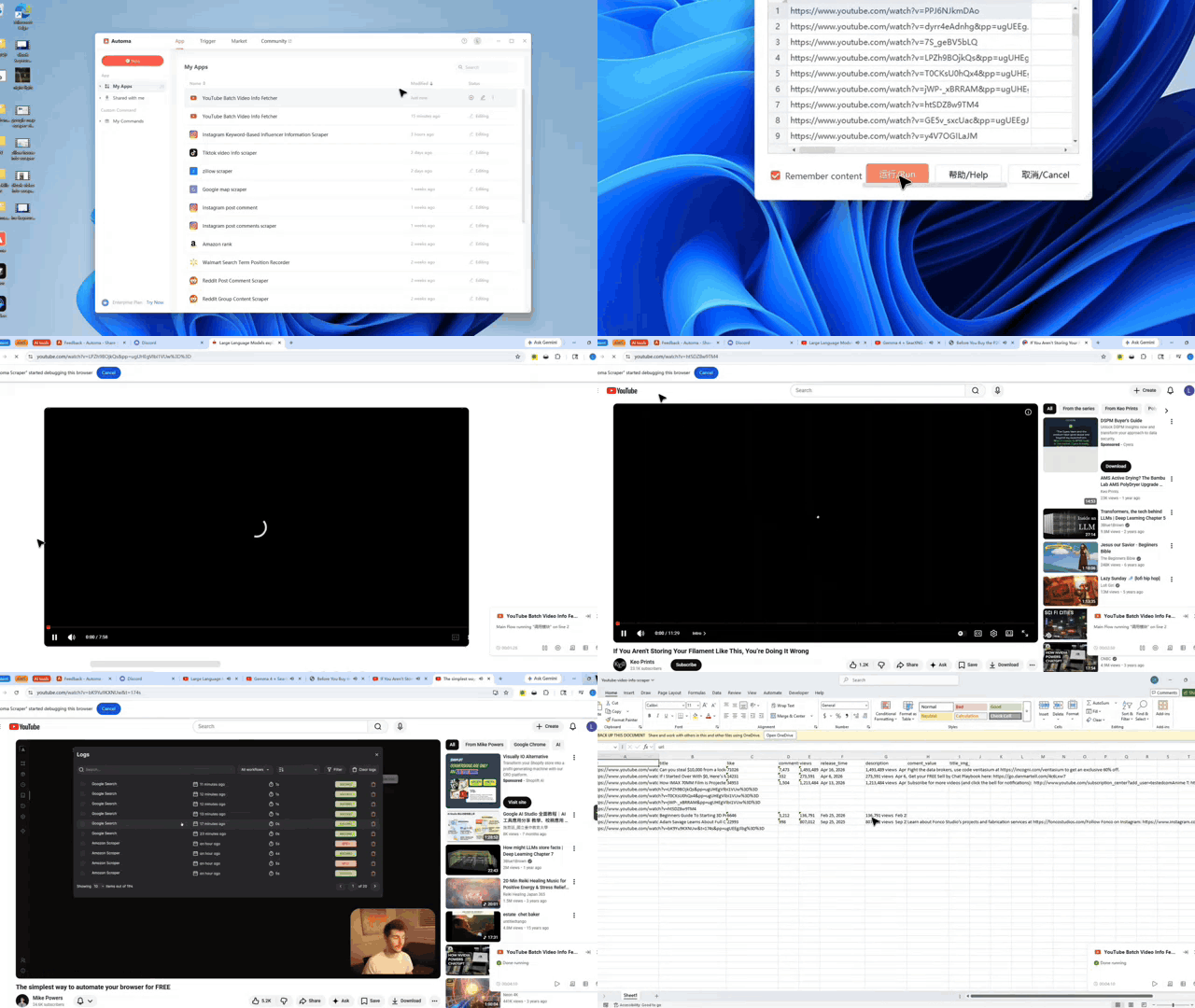
What problem this workflow solves?
Finding the right creators by hand is a slow chore. You often waste hours copying numbers into messy spreadsheets. This workflow is your secret weapon to stop that hassle and get back to real work. It stops human mistakes and keeps your data clean.
It fixes these specific issues
- Slow research: You no longer need to click every link one by one.
- Data errors: It stops typos from manual copying.
- Scaling trouble: It handles 100 links as easily as one.
What does this workflow do?
This creator data tool grabs facts from a list of YouTube links in one go. It works like a digital assistant that reads the screen and writes down the important parts for you. It turns a list of URLs into a high-quality dataset.
The tool captures these details
- Video Basics: Titles and full descriptions.
- Stats: View counts, likes, and comment totals.
- Timing: When the video was published.
- Visuals: Links to the thumbnail images.
Who is this for?
An automated data workflow is perfect for:
- Marketing managers — Find partners fast using a youtube email finder.
- Growth teams — Track many channels without hiring more people.
- Content creators — See what is working for other people in your field.
- Data analysts — Get accurate numbers for your weekly reports.
How does it work?
This workflow makes data collection simple and fast. Here is how it works:
- You paste a list of YouTube links into the tool.
- The system visits each page and finds the data points you need.
- It saves the facts into a neat table for your reports.
- You use the final list to reach out to creators or study trends.
The Environment Checklist
To use this workflow, you must have:
- The latest version of the Automa tool installed.
- An account logged in on both your web browser and app.
- Permissions for the app to run on your system.
- A stable internet connection to load YouTube pages.
Input Mapping
This workflow relies on structured input to function correctly. The primary input is a list of YouTube video URLs, which are used as the starting point for data extraction.
The output is mapped into clearly defined columns, including:
- URL (source link)
- Title (video name)
- Likes (engagement metric)
- Comments (user interaction count)
- Views (popularity indicator)
- Release time (publish date)
- Description (video summary)
- Comment value (processed metric if applicable)
- Thumbnail URL (visual reference)
- Each input URL corresponds to one row of output data. This structured mapping ensures that all extracted information is organized and ready for analysis, reporting, or integration with other tools.
Need help customizing?
You can easily build onto, modify, or customize this workflow to suit your needs. If you want to add new features or find bugs, help is ready for you.
- Join our Discord community to talk with other users.
- Use the feedback feature to request new functions.